


Google Slides screenshots (11)



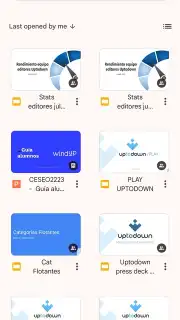
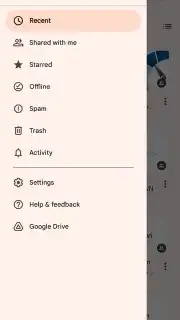
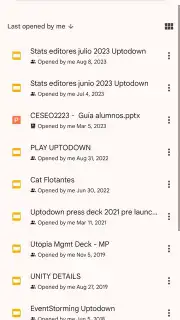
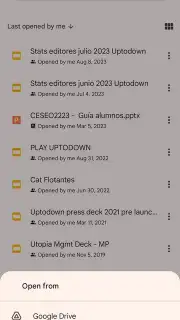

Description Google Slides
A Comprehensive Analysis of Google Slides for Mobile Productivity
Google Slides establishes itself not merely as a viewer, but as a fully-featured, cloud-native presentation studio engineered for modern, distributed workflows. This analysis examines its core mechanics as a mobile and cross-platform application, focusing on its operational advantages over traditional desktop-bound software. The app transforms presentation creation from a solitary task into a dynamic, collaborative process accessible from any location.
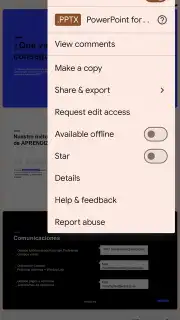
The application’s architecture is fundamentally built around real-time synchronous editing. Multiple contributors can manipulate text, shapes, and media on the same slide deck simultaneously, with each participant’s cursor and edits visible to others. This live collaboration is underpinned by automatic, versioned saving to Google Drive, eliminating the risks of file corruption or overwrite conflicts. The system extends beyond basic editing with integrated commenting tools, @mentions for directing feedback, and a comprehensive version history that allows teams to track every change and revert to any prior draft with a single click. This suite transforms feedback loops from lengthy email chains into immediate, contextual actions within the document itself.
Core Feature Breakdown
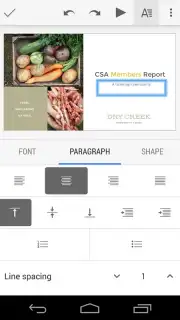
From a design perspective, the interface provides a surprisingly robust set of formatting tools optimized for touch. Users are not limited to basic text boxes; the app supports detailed manipulation of custom fonts, precise color schemes via hex code input, and the embedding of complex charts, images, and video files directly into slides. A library of professionally designed templates offers a starting point for various use-cases, which can then be deeply customized. The mobile experience is further enhanced by seamless transitions and animation builders, allowing for the creation of polished visual narratives directly from a smartphone or tablet.
Accessibility and compatibility are primary design tenets. The deep integration with Google Drive ensures that every presentation exists as a single, always-up-to-date source of truth across all devices—phone, tablet, or desktop. The app handles file format conversion transparently, offering full import and editing capabilities for Microsoft PowerPoint (.PPTX and .PPT) files, and flexible export options to PDF, JPEG, PNG, and SVG. A critical feature for mobile professionals is offline mode; slides can be marked for offline access, enabling editing without an internet connection, with all changes queued for automatic synchronization once connectivity is restored.
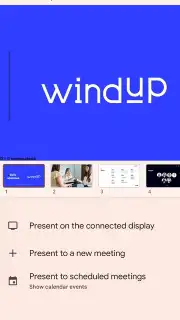
The presentation delivery system is meticulously crafted. The app’s presentation mode can turn a mobile device into a remote control, displaying slides on a larger screen via Chromecast or a wired connection while showing private speaker notes and a slide timer only to the presenter. For virtual meetings, integration with Google Meet allows for direct presentation streaming within the video call interface. This eliminates the friction of screen-sharing separate windows and ensures the presentation remains the central, high-quality visual focus for all attendees.
- Real-time multi-user editing with live cursor tracking and automatic cloud version history.
- Advanced design toolkit with custom fonts, animations, charts, and professional templates.
- Full cross-platform compatibility via Google Drive with offline editing and sync.
- Seamless import/export of PowerPoint files and export to PDF, JPEG, and PNG formats.
- Optimized presenter view with private notes, remote control, and direct Google Meet streaming.
Transform your next presentation from a static document into a dynamic, team-driven project. Download the mobile app now to begin creating and collaborating without constraints.
Internet required for full sync and collaboration. IAP available.
Information
| Version | 1.26.331.04.90 |
| Developer | Google LLC |
| Requirements | Android Android 10+ |
| Updated | 15.09.2026 |
| Size | 98.66 MB |
| Package | com.google.android.apps.docs.editors.slides |
| Signature | 4ba713dfece93d47572dc5e845a7a82c4a891f2f |
| Architecture | armeabi-v7a |


