


GPS Emulator screenshots (3)
Description GPS Emulator
Transform Your Device Location with a Single Tap
GPS Emulator provides direct control over your smartphone's GPS coordinates, enabling you to simulate any global position. This tool is designed for users who require precise location spoofing without complex procedures. By interacting directly with a map interface or entering specific coordinates, you can reconfigure your device's apparent location in seconds. The application processes these changes instantly, making it a functional utility for various location-based scenarios.
Core Functionality and Operational Modes
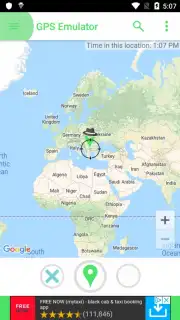
The primary operation involves selecting a desired location on an interactive global map. Tapping any point on the map instantly sets those coordinates as your new target. For precise placement, a drag-and-drop marker system allows for fine adjustments before finalizing the location change. A dedicated activation button confirms and applies the new GPS data to your device's system.
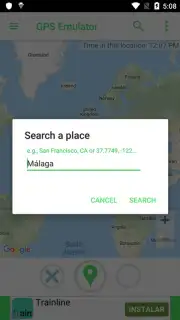
A secondary operational mode is the direct search function. You can input exact latitude and longitude coordinates or search for a city name. The application will parse this data and center the map on the specified location, ready for simulation. This method is optimal for replicating very specific addresses or points of interest that are difficult to pinpoint manually on the map.
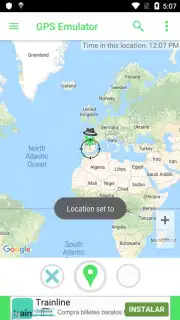
The process is streamlined into a few steps: choose a location via search or map tap, adjust the marker if needed, and activate the change. The interface is designed to execute this sequence without unnecessary menus or delays. This makes simulating a location in any country a straightforward task, altering how location-sensitive apps and services perceive your device.
- Set any global GPS location instantly
- Use map tap or search for precision
- Drag-and-drop marker for fine adjustments
- No advertisements with Turbo mode
Download the GPS Emulator App Now
Gain exclusive, early access to full location control for a limited time. New users can install today to utilize the complete feature set without restrictions. This offer provides immediate functionality for precise GPS simulation.
Heads up: you'll need wifi for most features. Some cool stuff is extra.
Information
| Version | 13.17 |
| Developer | RosTeam |
| Requirements | Android Android + 8.0+ |
| Updated | 17.03.2026 |
| Size | 30.05 MB |
| Package | com.rosteam.gpsemulator |
| Signature | 9747871f46cbf9de0df6e8bcba2db1fb |
| Architecture | armeabi-v7a, x86, arm64-v8a, x86_64 |


