


GPS Road Map screenshots (7)



Description GPS Road Map
A Practical Tool for Modern Navigation
In an era where efficient travel is paramount, a reliable navigation tool is less a luxury and more a necessity. GPS Road Map by Multi Tech Apps positions itself as a comprehensive solution for route planning, moving beyond simple point-to-point directions to become a contextual travel assistant. The core premise is straightforward: input your destination, and the application calculates the most optimal path. However, its utility is revealed in the granular control and supplementary data it provides, transforming a basic journey into an informed trip. The initial setup is minimal, requiring standard location permissions to anchor its functionality to your real-world position, a fundamental step for any credible mapping service.
Functional Depth and On-Road Utility
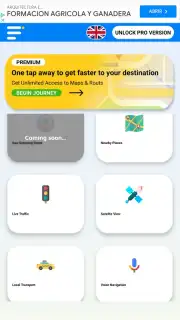
Once a route is active, the interface shifts into a detailed guidance mode. It provides traditional turn-by-turn navigation complemented by a persistent display of your live location via GPS and an estimated time of arrival that adjusts dynamically. A significant operational strength is its multi-modal routing. The application doesn't assume your mode of transport; instead, it allows you to specify walking, cycling, driving, or public transit routes, with the underlying algorithms recalculating paths appropriate for each. This flexibility is crucial for urban navigation where the fastest car route is irrelevant to a pedestrian or cyclist. The absence of disruptive advertising, particularly with the Turbo enhancement, ensures the interface remains clean and focused on the road, a critical factor for safety during active navigation.
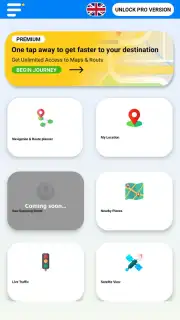
Beyond pure routing, the app integrates points of interest (POI) discovery directly into the map layer. This transforms it from a simple guide to a local explorer. You can visually identify nearby essential services—supermarkets, hospitals, parking facilities, hotels, and restaurants—without leaving the navigation view. This integration is seamless, allowing for spontaneous itinerary changes. Furthermore, the ability to manually bookmark custom locations for future reference adds a layer of personalization, letting you build a private database of frequently visited spots or planned destinations.
A notable feature for safety and coordination is real-time location sharing. This function generates a shareable link that allows selected contacts to view your live progress on a map. It’s particularly valuable for coordinating meet-ups, providing peace of mind to family during long trips, or for logistical purposes in professional contexts. The feature operates with clear user initiation and control, addressing core privacy concerns while delivering practical utility.
- Multi-Modal Route Optimization: Calculates distinct paths for walking, cycling, driving, and public transport.
- Live GPS Tracking & ETA: Provides real-time positioning and dynamic time-to-destination estimates.
- Integrated Points of Interest: Displays nearby businesses, services, and attractions directly on the navigation map.
- Custom Location Bookmarks: Allows manual saving of specific addresses or places for instant future access.
- Real-Time Location Sharing: Enables secure sharing of your live trip progress with friends or family via a link.
The application consolidates these features into a single package aimed at daily use. For users seeking to minimize travel time and maximize situational awareness during their commutes or explorations, it presents a structured and data-driven approach. The value proposition hinges on its combination of reliable core navigation and contextual, discoverable information without interface clutter.
Download this mobile app now and stop wasting time on inefficient routes. Transform your phone into a powerful navigation command center today!
Heads up: you'll need wifi or mobile data for initial route downloads and map updates. Real-time navigation and live sharing require a stable connection. The Turbo feature for an ad-free experience is a premium upgrade.
Information
| Version | 4.1.0 |
| Developer | Multi Tech Apps |
| Requirements | Android Android + 7.0+ |
| Updated | 17.03.2026 |
| Size | 71.74 MB |
| Package | com.gpsnavigation.maps.gpsroutefinder.routemap |
| Signature | a21048ea590fbe430a0be12823aacb92 |
| Architecture | armeabi-v7a, arm64-v8a |


