

Home Up screenshots (4)
Description Home Up
Unlock a Samsung That Feels Uniquely Yours
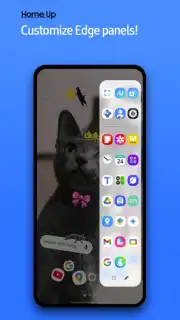
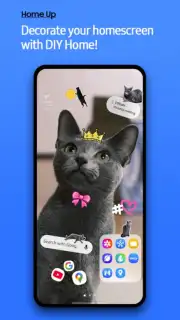
Tired of a phone that looks and feels exactly like everyone else's? Your Samsung Galaxy is a powerhouse of potential, but its default interface is just the starting point. Imagine a home screen that doesn't just hold your apps, but reflects your style and how you actually use your device. That’s the promise of Home Up, the ultimate customization toolkit hidden within Samsung’s own ecosystem. This isn't just tweaking a wallpaper; it's about taking direct, granular control over the very fabric of your phone's interface, transforming it from a standard device into a personal command center that works precisely the way you do.
Dive Deep Into a World of Personalized Control
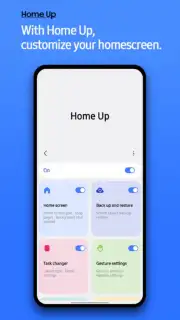
Home Up is your all-access pass to the deeper settings of your Samsung’s One UI. Think of it as the professional workshop for your home screen and app drawer, where every detail is adjustable. The experience begins with the essential Good Lock module (or the fantastic alternative, Fine Lock), which acts as the gateway to this customization suite. Once inside, you’ll discover tools that go far beyond simple theme stores. You’re not just applying someone else’s idea of style; you’re engineering your own from the ground up. The feeling of swiping to a home screen that you’ve architecturally designed for maximum efficiency and visual appeal is incredibly satisfying—it makes the device truly feel like an extension of yourself.
Your Desktop, Your Rules: From Grids to Folders
The magic of Home Up lies in its specific, powerful features that target the areas you interact with most. It hands you the blueprint to your phone’s layout and lets you redraw every line.
First, you command the canvas of your home screen. Forget being stuck with a preset grid. Home Up lets you define the exact number of app icons that fit on a single screen, allowing you to choose between a minimalist, spacious layout or a dense, information-packed grid that puts every tool within immediate reach. Rearranging icons becomes a fluid, intuitive process, letting you group essentials logically with simple drag-and-drop actions.
Then, you revolutionize how you organize with fully customizable folders. Standard folders are functional but bland. Home Up transforms them into dynamic, stylish elements. You can select from multiple folder design styles, enable smooth opening animations that feel premium, and most impressively, customize the background color of each folder. This means you can color-code your work apps, social media, and games, making navigation instantaneous and visually distinct. It’s a small change that dramatically cleans up your interface and speeds up your daily routine.
- Total Grid Control: Precisely set the number of rows and columns on your home and app screens for perfect icon density.
- Advanced Folder Styling: Apply unique visual designs, animations, and custom background colors to every folder for instant visual recognition.
- Enhanced App Drawer Options: Modify how your app drawer is sorted and categorized, streamlining how you find and launch applications.
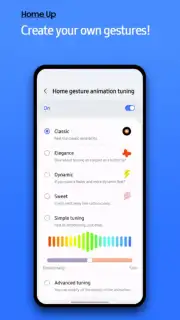
- Smooth Animation Tweaks: Adjust transition and scrolling animations within the system for a buttery-smooth navigation feel that matches your pace.
- Task Changer Integration: Redefine your recent apps menu with different layouts and styles for superior multitasking.
Transform Your Phone Today—Exclusive Access for Early Adopters!
This is your moment to break away from the default. Why settle for a look that millions of others have when you can craft a one-of-a-kind mobile experience in just a few taps? Home Up delivers the professional-grade customization tools that turn your Samsung Galaxy from a great phone into your perfect phone. This level of system integration is a rare privilege for Android users. Download Home Up now and be among the first to experience this deep level of personalization—start shaping a smartphone that’s as unique as you are.
Internet required. IAP available.
Information
| Version | 17.0.00.48 |
| Developer | Samsung Electronics Co., Ltd. |
| Requirements | Android API 36+ |
| Updated | 17.03.2026 |
| Size | 59.29 MB |
| Package | com.samsung.android.app.homestar |
| Signature | d087e72912fba064cafa78dc34aea839 |
| Architecture | armeabi-v7a, x86, arm64-v8a, x86_64 |


