


Horizon Camera screenshots (6)



Description Horizon Camera
A Solution to the Tilted Video Problem
Anyone who has tried to record a smooth, level video while moving knows the challenge: a slight tilt of the smartphone results in a skewed final clip, forcing awkward cropping or leaving distracting black bars when shared on standard platforms. Horizon Camera addresses this core mechanical issue directly. It functions as a dedicated video capture tool that uses internal sensors and software processing to maintain a consistent horizontal aspect ratio in real-time, regardless of the device's physical orientation during recording. This technical approach removes a common pre-production concern, shifting focus to the scene being captured rather than the stability of the user's grip.
Functional Analysis and Feature Set
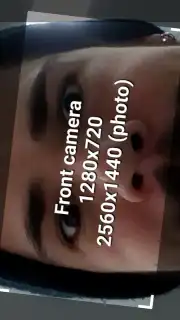
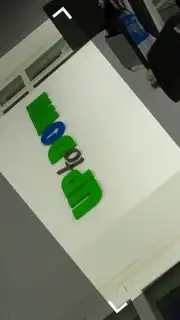
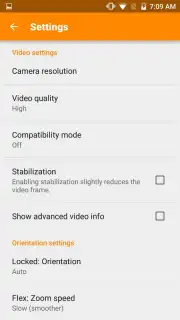
The application interface is built around a dynamic, on-screen framing guide. This overlay adjusts continuously, providing a visual reference for the stable horizontal plane even as the phone moves. The primary operational modes are accessible through a settings panel, where users can select video resolution and choose between different digital stabilization algorithms to suit motion intensity. A notable aspect of the free version is the presence of a semi-transparent watermark positioned in one corner of the frame; this is a fixed element and does not interfere with the core stabilization processing. The application environment contains no third-party advertising banners or video interstitials. Post-recording, the app provides metadata access for each clip, displaying technical details such as resolution, codec, and file size.
- Real-time horizon leveling lock
- Dynamic on-screen framing guide
- Configurable stabilization and quality
- No advertising within the interface
The utility is most apparent for content intended for desktop viewing or platforms like YouTube and Facebook, which are optimized for landscape formats. By ensuring footage is already correctly framed, it eliminates a step in the editing workflow. The processing is handled on-device, with no mention of cloud dependency for the core stabilization feature.
Start capturing perfectly leveled video footage today and streamline your content creation process.
Download mobile app now
Disclaimer: This application requires an internet connection for initial download and potential updates. In-app purchases may be available to remove the watermark or access premium features. Data usage is dependent on video resolution settings and backup choices if enabled. The app may collect diagnostic and usage data as per the developer's privacy policy. Users should be aware of age restrictions and permissions related to camera and storage access.
Information
| Version | 1.6.1.0 |
| Developer | Horizon Video Technologies Inc |
| Requirements | Android Android + 6.0+ |
| Updated | 17.03.2026 |
| Size | 4.47 MB |
| Package | com.hvt.horizon |
| Signature | 3357d4c841a82c02cfe88cf71f99d19f |
| Architecture | universal |


