

HUAWEI Petal Clip screenshots (3)
Description HUAWEI Petal Clip
What does a professional mobile video editor look like on Android?
For users seeking a streamlined alternative to complex desktop editing suites, HUAWEI Petal Clip presents a focused solution for Android devices. This application is engineered to handle standard video editing workflows directly on a smartphone, bypassing the need for transfer to more advanced software. Its operational framework is built around a visually organized timeline interface, where media management is conducted through intuitive drag-and-drop mechanics. The primary objective of the tool is to facilitate the assembly of clips, the application of layered effects, and the export of a polished final render, all within a single mobile environment.
Core Functionality and Editing Mechanics
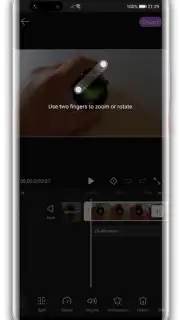
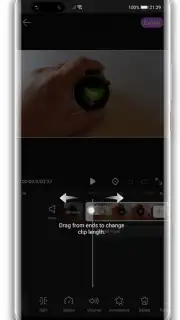
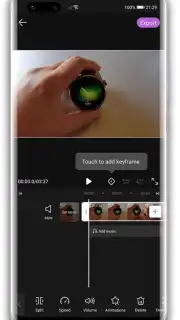
The application provides a structured set of tools for project development. Upon initiating a new project, the user imports video segments onto the central timeline, which serves as the primary workspace for sequencing and trimming. A distinct functional layer allows for the independent customization of each individual clip. This includes the attachment of text overlays with adjustable fonts and positioning, as well as the application of visual filters that alter color grading and tone. This per-clip adjustment system is a key mechanism for introducing specific stylistic changes without affecting the entire project.
Further audio-visual synchronization is managed through a dedicated audio track. Users can import external music files or sound effects and position them precisely along the timeline to correspond with visual cues. The editing panel provides controls for basic audio adjustments, such as volume fading and clip splitting, to ensure the soundtrack complements the video segments. For final output, the editor includes several export presets, offering a selection of resolutions and file formats to balance quality against device storage and sharing compatibility.
Key Feature Set
- Drag-and-drop timeline editing
- Per-clip text and filter application
- External audio file integration
- Multiple export format options
The utility of HUAWEI Petal Clip is defined by its consolidation of fundamental editing actions into a mobile-optimized layout. It functions as a practical tool for rapid video assembly and enhancement directly on an Android device.
Download the HUAWEI Petal Clip mobile app now and process your footage immediately!
Disclaimer: This application requires an internet connection for certain functions and potential access to additional content. It may contain in-app purchases. Data usage fees may apply depending on your network plan. Please review the app's permissions and privacy policy before installation. User discretion is advised.
Information
| Version | 13.30.9.331 |
| Developer | HUAWEI |
| Requirements | Android Android + 8.0+ |
| Updated | 17.03.2026 |
| Size | 49.74 MB |
| Package | com.huawei.videoeditor |
| Signature | 745a9c4d499d675c28400fa0c22f5de7 |
| Architecture | armeabi-v7a, arm64-v8a |


