


Hypic screenshots (17)










Description Hypic
What if you could achieve professional, natural-looking photo edits without needing complex software or advanced skills? Hypic, developed by Bytedance Pte. Ltd., is a comprehensive photography application designed to deliver precisely that. It streamlines the editing process into a few intuitive adjustments, offering a powerful suite for retouching, filtering, and graphic design. This review examines the mechanics of its tools, from AI-driven portrait refinement to custom poster creation, to determine if it lives up to its promise of being both innovative and user-friendly.
Core Editing and AI-Powered Retouching
The application’s portrait editing suite is engineered for precision and subtlety. It provides granular control over facial aesthetics, allowing you to address specific concerns like pigmentation spots, wrinkles, and uneven skin tone with targeted tools. Beyond basic cleanup, the platform enables detailed structural adjustments. You can modify eyebrow arch, lip fullness, nose shape, and jawline contour, among other parameters. The underlying AI technology is calibrated to apply these modifications while preserving the subject’s fundamental likeness and individuality, avoiding the artificial "over-edited" look. This makes it exceptionally practical for everyday use—for instance, quickly removing a blemish from a group photo before sharing it, ensuring you’re always ready for a spontaneous picture.
Advanced Creative Tools and Template Library
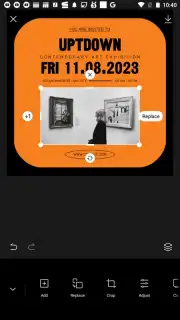
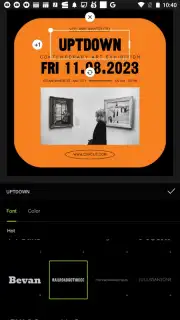
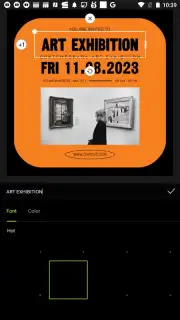
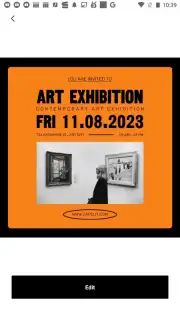
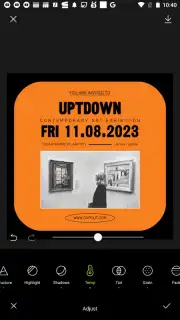
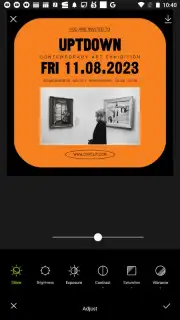
Beyond standard photo correction, Hypic functions as a capable graphic design studio. Its poster creation module is stocked with a vast library of professionally designed templates catering to diverse needs: cultural event promotions, concert flyers, marketing advertisements, and even mock movie posters. The workflow is straightforward: import your chosen images into a template and customize every element. The text editor supports a wide range of fonts, colors, and styling options, giving you full creative autonomy. The template designs are consistently updated to reflect current graphic trends, ensuring your final composition maintains a modern, polished appearance. Upon finalizing a design, the application provides flexible export options, allowing you to save your work in various resolutions and formats optimized for different social media platforms or print requirements.
User Experience and Operational Model
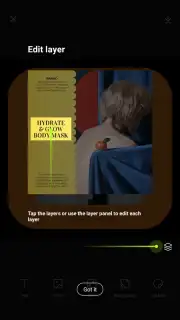
A significant operational note is the app’s Turbo feature, which, as per the developer, removes advertising interruptions and unlocks enhanced processing speeds or exclusive assets. This creates a streamlined, focused editing environment. The interface is logically organized, separating core photo editing tools from the creative poster workshop, which facilitates an efficient workflow whether you’re performing a quick retouch or embarking on a detailed design project.
- AI-powered natural face retouching
- Granular facial feature reshaping tools
- Extensive customizable poster templates
- Ad-free experience with Turbo mode
Discover the full potential of your photos and create stunning visual content without professional training. Get your bonus of advanced editing tools and start designing today.
Download the Hypic mobile app now to claim your creative advantage.
Requires an internet connection for full functionality and template access. The app may offer in-app purchases, including the Turbo subscription.
Information
| Version | 899.9999.999 |
| Developer | Bytedance Pte. Ltd. |
| Requirements | Android Android 4.4+ |
| Updated | 02.09.2026 |
| Size | 9.40 MB |
| Package | com.xt.retouchoversea |
| Signature | 61:ED:37:7E:85:D3:86:A8:DF:EE:6B:86:4B:D8:5B:0B:FA:A5:AF:81 |


