


Icon 3x3 screenshots (7)

Description Icon 3x3
Tired of a Cluttered, Inefficient Home Screen?
Imagine reaching for your phone, needing to open an app quickly, but your thumb strains to tap an icon placed just out of comfortable reach. You fumble, you miss, and the moment is lost. This daily frustration ends with Icon 3x3. This Android personalization tool transforms your home screen from a static grid into a dynamic, fully customizable command center designed around how you actually hold and use your device. It’s not just about making things look different; it’s about engineering your screen for speed, efficiency, and effortless one-handed access.
Your Home Screen, Reimagined for Your Hand
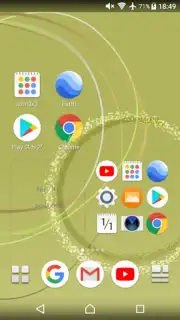
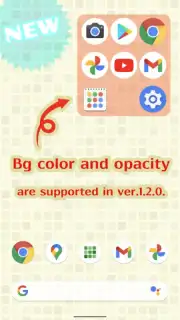
Icon 3x3 hands you complete architectural control over your home screen’s layout. The core philosophy is powerful simplicity: break free from the rigid rows and columns enforced by your launcher. You gain the ability to resize app icons and widgets to unique, non-standard dimensions, allowing you to pack more functionality into prime screen real estate or create a minimalist aesthetic with perfect alignment. This precise control extends to widget backgrounds, where you can adjust color and transparency to seamlessly blend each element with your wallpaper or device theme, creating a cohesive and visually polished look.
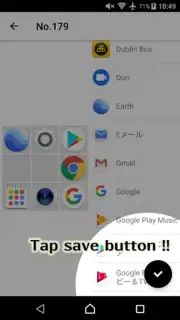
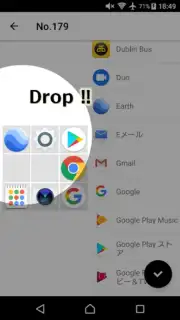
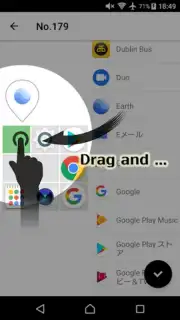
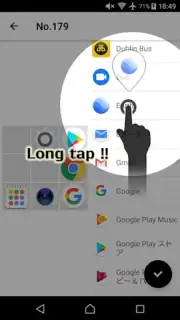
The true genius lies in strategic placement. You are no longer confined to tapping icons in the center of the screen. Icon 3x3 lets you position crucial app shortcuts in the most ergonomic zones—like the lower right or left corners—areas your thumb naturally rests upon. This intelligent design turns every interaction into a swift, fluid motion, eliminating unnecessary stretching and making one-handed use not just possible, but a pleasure. The editing interface mirrors this intuitive approach, offering a drag-and-drop environment where you can replace icons, adjust widgets, and craft your perfect layout directly from an easy-to-use editing screen.
- Achieve pixel-perfect home screen layouts with granular control over icon and widget size, shape, and placement.
- Enable true one-handed usability by placing essential app icons in easily accessible lower screen corners.
- Create a visually unified aesthetic by customizing widget background colors and transparency levels.
- Enjoy a streamlined editing workflow using an intuitive drag-and-drop interface for all modifications.
- Maximize your available screen space by utilizing unique size ratios to fit more apps or widgets neatly.
Get your bonus of a cleaner, faster, and perfectly personalized Android experience. Download Icon 3x3 now and start designing a home screen that works as hard as you do.
Heads up: you'll need wifi for the initial download and setup. Some advanced customization features may require additional permissions or a device restart to take full effect.
Information
| Version | 1.3.1 |
| Developer | chlorocube |
| Requirements | Android Android + 8.0+ |
| Updated | 17.03.2026 |
| Size | 4.25 MB |
| Package | jp.co.chlorocube.icon3x3space2x2 |
| Signature | f94b7e5ccccd0b676af569f8cf4aebc0 |
| Architecture | universal |


