

IDM (internet download menager) screenshots (7)




Description IDM (internet download menager)
Looking for a faster, more reliable way to manage all your downloads directly on your Android device?
Core Download Management Features
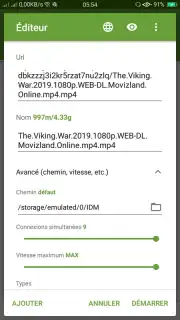
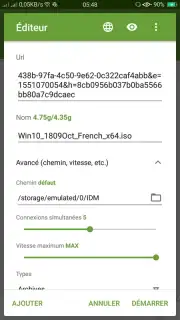
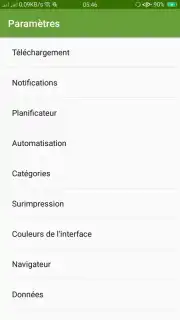
This application functions as a comprehensive download accelerator and organizer. It is designed to handle multiple file types from various sources, integrating directly with your browser for seamless link capture. The system provides detailed control over active and queued downloads, allowing for prioritization, scheduling, and pause/resume functionality. Users can categorize completed downloads into custom folders for efficient library management and quick access to their files.
Key Technical Advantages
The tool employs connection segmentation technology to accelerate transfer speeds by dividing files into multiple simultaneous streams. It includes a built-in scheduler to automate downloads during specified time windows and supports resuming interrupted transfers from the exact point of failure. The interface presents a clear overview of all download tasks with real-time progress metrics, speed graphs, and detailed file information.
- Accelerated Download Speeds: Utilizes multi-threading technology to maximize your bandwidth and reduce file acquisition time significantly.
- Browser Integration & Link Capture: Automatically detects downloadable links from most web browsers and offers to handle them directly within the app.
- Advanced Scheduler & Queue Manager: Organize and automate your downloads by setting start times, managing priorities, and pausing or resuming tasks with one tap.
We suggest trying IDM to take full control of your mobile downloading tasks. Consider downloading the app now to experience organized and accelerated file management.
Internet required. IAP available.
Information
| Version | 6.4.0 |
| Developer | موريتانيا للتقنيات |
| Updated | 17.03.2026 |
| Size | 3.61 MB |
| Package | com.techrim.idm |
| Signature | 1b670d6f786d9fcd05578278dee250d8 |


