

iKeyboard screenshots (5)

Description iKeyboard
What if your smartphone keyboard could be more than just a functional tool?
For many users, the default keyboard is an afterthought—a necessary interface for communication. iKeyboard for Android challenges that notion by transforming the typing experience into a personalized and highly functional component of your device. This review examines whether its focus on extensive customization, a vast emoji library, and multilingual support delivers a tangible upgrade over stock options. The core proposition is clear: to provide a keyboard that users actively enjoy using, not just tolerating.
A Detailed Look at Functionality and Customization
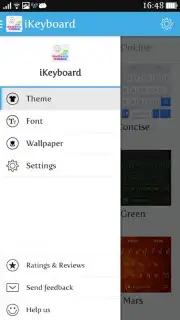
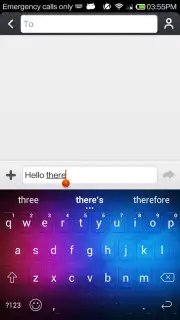
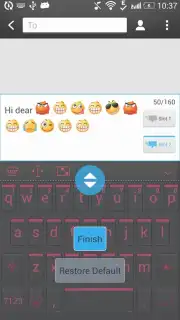
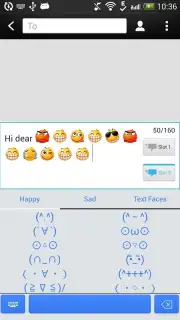
The application operates as a full replacement keyboard service. Upon installation and setup through the system's input methods, it presents a suite of customization panels. The primary interface allows users to browse and apply visual themes, which alter the key shapes, background images, color gradients, and sound effects. Beyond aesthetics, the utility is found in its expansive content libraries. The emoji and symbol database is not a static set; it aggregates thousands of characters, including standard emojis, emoticons like :) ;) , and a variety of niche symbols, making it searchable and categorized for efficient use in any messaging or social media app.
Another significant functional layer is language support. The keyboard integrates predictive text and autocorrect engines for over thirty languages. This isn't merely a change of layout; it involves activating dedicated dictionaries for languages such as English, Spanish, Chinese, Japanese, Russian, and German, which learn local spelling and colloquialisms to improve accuracy. A notable operational point is the advertised "Turbo" mode, which implies a package that removes promotional content from the typing experience, aiming to provide an unobstructed and potentially faster interface.
- Extensive Visual Personalization: Choose from dozens of themes ranging from minimalist designs to vibrant, artistic keyboard backgrounds.
- Massive Emoji & Symbol Library: Access over 3000 unique characters, emoticons, and symbols for enriched communication across all apps.
- Comprehensive Multilingual Typing: Utilize built-in dictionaries and prediction for more than 30 global languages for accurate, fluid typing.
The overall impression is of a keyboard that prioritizes choice and expressiveness. Its appeal lies in allowing users to tailor a fundamental tool to their visual preferences and linguistic needs, potentially increasing typing enjoyment and efficiency.
Get your bonus of a cleaner, more expressive typing experience and transform how you communicate on your device. Download iKeyboard now to claim your advantage.
Requires an internet connection for initial setup and theme downloads. The app may offer in-app purchases for additional premium themes or features.
Information
| Version | 4.8.2.300060 |
| Developer | iKeyboard Studio |
| Requirements | Android Android + 4.1, 4.1.1+ |
| Updated | 17.03.2026 |
| Size | 20.72 MB |
| Package | com.emoji.ikeyboard |
| Signature | 9ec3479d78229d2a3fcc901dea36f7d0 |
| Architecture | armeabi-v7a |


