


Infinite Painter screenshots (9)

Description Infinite Painter
Unleash Your Inner Artist with a Truly Infinite Canvas
Imagine a digital studio so powerful and intuitive, it feels like an extension of your own creativity. That is the experience waiting for you with Infinite Painter. This is not a simplified mobile sketchpad or a ported desktop tool struggling on a touchscreen. It is a professional-grade painting application built from the ground up for Android, designed to give you unparalleled control and freedom. The developers make a bold claim: this is not Photoshop, Procreate, or Sketchbook. It is a distinct, top-tier creative engine that stands confidently alongside the very best, offering a uniquely fluid and immersive artistic journey right in the palm of your hand.
A Masterclass in Intuitive Design and Raw Power
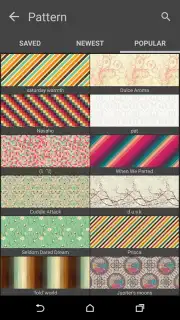
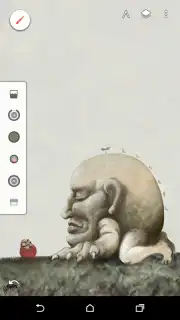
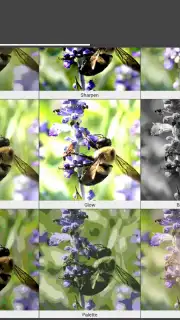
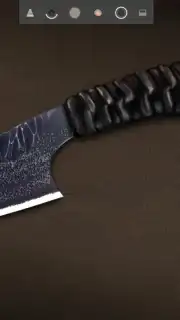
From the moment you open Infinite Painter, the interface welcomes you into a focused, clutter-free workspace. Essential controls are positioned for effortless access, with undo and redo buttons placed conveniently in the lower corners for quick corrections. A streamlined dropdown panel grants you complete mastery over your composition's layers, allowing you to create, reorder, blend, and edit each element with precision. The true magic, however, lies in the sheer depth of the tools at your disposal. You gain access to an immense, ever-growing library of over 160 meticulously crafted brushes, pencils, markers, and blending tools. Each stroke feels responsive and natural, translating the subtle pressure and tilt of your stylus or finger into stunningly authentic textures on the digital canvas.
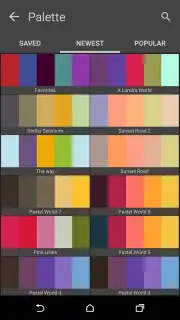
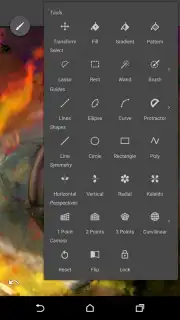
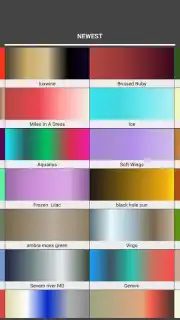
The application's brilliance extends far beyond a vast brush collection. Every tool is fully customizable, transforming them from presets into personal instruments. You can adjust the size, opacity, flow, and texture intensity of each brush tip, creating an infinite spectrum of effects tailored to your specific vision. A comprehensive color palette, advanced blending modes, and symmetry tools further dismantle any creative barrier. Practical features enhance the workflow significantly; you can hide the entire interface with a single tap for an unobstructed view of your work, and the export options are exceptionally versatile for a professional. Your finished creations can be saved not only as standard JPG or PNG files but also exported as fully layered PSD documents, ready for further refinement in desktop software like Photoshop. Conversely, you can import existing PSD files directly, making Infinite Painter a seamless part of any cross-platform creative pipeline.
- Professional-Grade Toolset: Access a vast and expanding collection of over 160 realistic brushes, including pencils, inks, oils, watercolors, and custom blending tools for every artistic style.
- Deep Customization Engine: Take full control by adjusting every parameter of your brushes—size, opacity, scatter, grain, and dual-tip behavior—to design truly unique digital instruments.
- Advanced Layer System: Work with a powerful, non-destructive layer system featuring blending modes, clipping masks, and transformation tools for complex compositions.
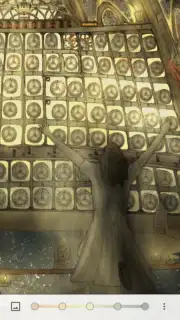
- Distraction-Free Canvas: Instantly toggle to a full-screen, clean workspace by hiding all menus and UI elements with a single gesture, immersing you completely in your art.
- Professional File Interoperability: Export your work in high-resolution JPG, PNG, or as layered PSD files for Photoshop. Import and edit existing PSD files directly on your device.
- Precision Drawing Aids: Utilize perspective guides, dynamic symmetry tools, and a fluid shape stabilizer to execute perfectly straight lines, intricate patterns, and complex geometries.
- Continuous Innovation: Benefit from regular updates that introduce new brushes, features, and performance enhancements, ensuring your toolkit never grows stale.
This application represents a paradigm shift for digital artists on Android. It delivers a desktop-class painting experience without compromise, providing all the tools necessary to sketch, illustrate, paint, and conceptualize at the highest level. The official gallery showcases breathtaking artwork from the global community, serving as testament to what is possible. Do not just create art—define it with the most powerful mobile painting studio available.
Download Infinite Painter now and transform your Android device into the ultimate digital art studio!
Internet required. IAP available.
Information
| Version | 7.2.7 |
| Developer | Infinite Studio Mobile |
| Requirements | Android Android + 9+ |
| Updated | 17.03.2026 |
| Size | 75.32 MB |
| Package | com.brakefield.painter |
| Signature | be3e2e50b5c6e53e295a7bf418b3a6a6 |
| Architecture | armeabi-v7a, arm64-v8a, x86_64 |


