


InShot screenshots (19)










Description InShot
InShot Review: A Comprehensive Analysis of a Mobile Editing Powerhouse
InShot establishes itself not merely as another video editor, but as a systematic toolkit designed to bridge the gap between casual smartphone filming and polished, platform-ready content. Its architecture is built on the principle of layered functionality, offering straightforward cutting tools on the surface while providing deep, granular control over visual and audio parameters for those who seek it. This analysis examines the application's mechanics, interface logic, and output capabilities from a functional standpoint.
Core Editing Engine and Workflow Efficiency
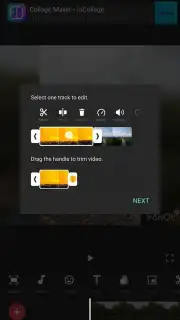
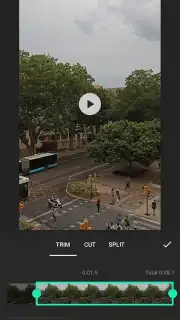
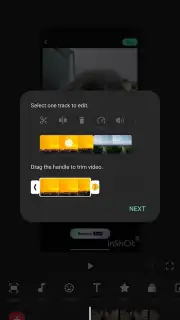
The editing suite operates on a multi-track timeline that supports video, audio, text, and image layers simultaneously. Basic operations like trimming, splitting, and merging clips are executed with single-tap or drag gestures, minimizing the steps between import and initial edit. The application implements non-destructive editing principles, allowing for adjustments to filters, speed, and volume at any point without degrading the original media. Advanced tools include keyframe animation for custom movement of elements, a precision speed ramping controller for smooth slow-motion or fast-forward effects, and a library of transitional effects that can be applied with adjustable duration. The interface utilizes a contextual menu system that changes available options based on the element selected on the timeline, reducing on-screen clutter.
Audio Integration and Customization Layers
Audio management is handled through a dedicated track that can be detached from the video clip for independent editing. Users can perform fade-ins, fade-outs, and precise volume ducking against other audio layers. The application provides access to a licensed music library categorized by genre and mood, alongside the ability to import external audio files. A voice-over recording function is integrated directly into the timeline, with real-time monitoring and noise reduction options. Sound effects are available as separate, placeable assets, and the mixer allows for balancing levels across all audio sources to meet platform-specific loudness standards.
Visual Effects System and Color Grading Tools
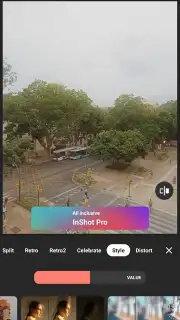
The visual processing system offers two primary branches: static filters and dynamic effects. Filters are pre-configured color grades (e.g., cinematic, vintage, vibrant) that apply globally. Separately, a professional-grade color adjustment panel provides individual sliders for exposure, contrast, highlights, shadows, saturation, temperature, and tint. Dynamic effects include overlays (light leaks, dust, film grain), animated backgrounds for text, and motion-based effects like glitch or blur that can be triggered at specific points. The chroma key function enables green screen removal with controls for edge refinement and spill color suppression.
Content Formatting and Social Media Optimization
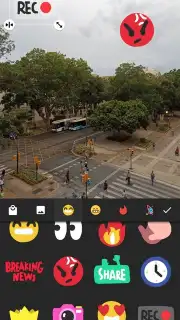
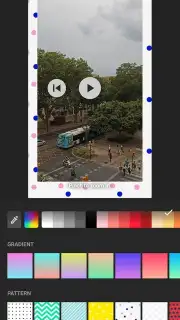
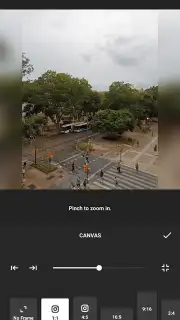
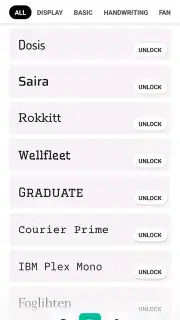
The application includes preset canvas ratios (9:16 for TikTok/Reels, 1:1 for Instagram posts, 16:9 for YouTube, 4:5 for Facebook) that automatically reformat the project, with intelligent background filling or cropping guides. A dedicated collage maker supports multiple image and video layouts in a single frame, with adjustable borders and corner radii. For text, the system offers a wide selection of fonts with options for outline, shadow, background color, and character-by-character animation presets. The sticker library is searchable and includes both static and animated elements, all editable in terms of size, rotation, and duration on the timeline.
Export Configuration and Performance
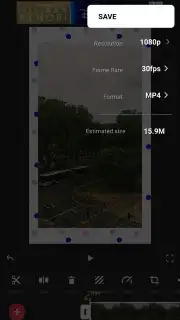
Export settings are highly configurable, allowing users to select resolution (up to 4K where supported by source material), frame rate, and bitrate. The application displays an estimated file size before rendering. A "Turbo" mode, typically available through a subscription, removes watermarking, unlocks premium effects and fonts, eliminates advertising from the editing environment, and may prioritize export queue processing. Performance is dependent on device hardware, particularly when applying multiple complex effects or working with high-resolution source clips.
- Multi-track timeline editing with layer-based controls for video, audio, text, and image assets.
- Precision speed control and keyframe animation for creating custom dynamic motion and slow-motion effects.
- Professional audio mixer with voice-over recording, sound effects, and music library integration.
- Advanced color grading tools and dynamic visual effects including overlays and chroma key.
- Platform-optimized export with customizable resolution, frame rate, and watermark removal.
Get your professional editing toolkit and start creating optimized content today.
Download mobile app now
Disclaimer: This application requires an internet connection for accessing certain music libraries, downloading additional assets, and verifying subscriptions. It contains in-app purchases for premium features and a "Turbo" subscription tier. The service is intended for users above a certain age as per regional digital service regulations. User data may be collected for functionality, personalization, and analytical purposes as outlined in the developer's privacy policy. Performance and available features may vary depending on device model and operating system version.
Information
| Version | 2.196.1529 |
| Developer | InShot Video Editor |
| Requirements | Android Android + 7.0+ |
| Updated | 17.03.2026 |
| Size | 74.67 MB |
| Package | com.camerasideas.instashot |
| Signature | 34d59cf8cfef59713f83958f50b0ed91 |
| Architecture | armeabi-v7a, arm64-v8a |


