

iPhone OS Launcher screenshots (5)
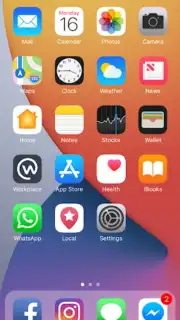
Description iPhone OS Launcher
Ever Wished Your Android Felt Like a Brand New iPhone?
Let's be honest, you've seen that sleek, iconic iPhone interface and felt a tiny pang of envy. That seamless flow, that minimalist elegance, that unmistakable sense of premium design. But switching ecosystems is a huge commitment. What if you could capture that exact feeling, that sophisticated iOS atmosphere, and wrap it around your trusted Android device? No expensive hardware, no complicated transfers—just the instant transformation you've been imagining.
Dive Into a Shockingly Realistic iOS Experience
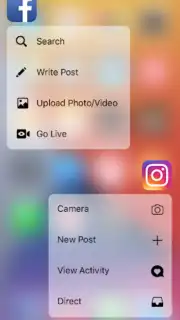
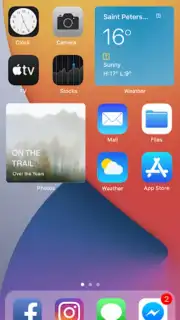
iPhone OS Launcher by Emopedia isn't just a theme; it's a full sensory immersion. From the moment you activate it, your Android screen sheds its familiar skin to reveal the legendary iOS aesthetic. You're greeted by the iconic wallpapers that made Apple famous, meticulously recreated app icons that feel just right to the touch, and refined design elements that breathe the authentic iPhone vibe into every interaction. But it goes far beyond mere looks. This launcher is engineered for impressive speed and buttery-smooth operation, significantly enhancing your daily interaction with your device. It feels responsive, polished, and premium—elevating your Android to a new level of sophistication with an operational fluency that lovingly mimics the famous Apple experience.
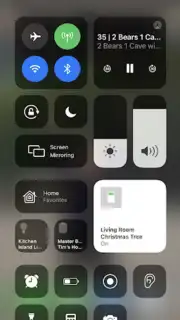
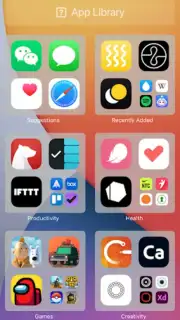
The magic continues with smart enhancements that blend the best of both worlds. Discover intuitive features like Smart Search to find anything in an instant, Smart Group to auto-organize your apps neatly, and fluid iOS-inspired gestures that make navigation a genuine pleasure. You can even explore and install specific modules like the iPhone 12 Launcher, OS 14 iLauncher, and the incredibly useful Control Centre, tailoring the look and functionality to match your favorite iOS era. It’s about creating a unique, convenient interface that merges Android’s flexibility with iOS’s coveted elegance.
Why This Launcher Becomes Your Daily Essential
- High-Fidelity Interface: Live with the legendary iOS wallpapers, pixel-perfect app icons, and all the refined design elements that deliver the true iPhone atmosphere directly on your Android screen.
- Performance Boost: Experience a noticeably faster, smoother device operation. The launcher is optimized to reduce lag and make every swipe, tap, and transition feel premium and responsive.
- Smart iOS Features: Enjoy game-changers like Smart Search for lightning-fast finds, automatic app grouping for a tidy home screen, and intuitive gestures that make your phone feel alive and connected to your commands.
- Deep Customization: Personalize your experience with available options like the iPhone 12 Launcher aesthetic, OS 14 iLauncher style, and a fully functional Control Centre for quick settings access, just like on a genuine iPhone.
- Premium Unlocks: The free base is powerful, but the Turbo premium upgrade removes all ads and unlocks coveted features like unread notification badges on icons, completing that fully authentic iOS lock screen and home screen environment.
Heads up: For the full, authentic lock screen experience, the app will request notification access—this is a crucial step to make those notification badges work. Some of the coolest features, like ad-free browsing and notification badges, are part of the optional premium upgrade. You'll also need a WiFi connection for the initial setup and to download additional theme packs.
Ready to transform your device? This exclusive launch offer grants instant access to the iOS aesthetic revolution. Don't just admire that sleek style—live it today. Download iPhone OS Launcher now and be among the first to experience the upgrade!
Information
| Version | 2.8 |
| Developer | Emopedia |
| Requirements | Android Android + 5.0+ |
| Updated | 17.03.2026 |
| Size | 13.56 MB |
| Package | com.launcher.ios.iphonex |
| Signature | 2e75e4bb8a38d08a6e1678b085d1d7bb |
| Architecture | universal |


