

jbak2 keyboard screenshots (8)




Description jbak2 keyboard
What if your keyboard could be as unique as your fingerprint, adapting not just to how you type, but to what you truly need to do?
A Keyboard Engineered for Control
Jbak2 Keyboard is not a typical theme-based personalization tool; it is a comprehensive input framework built for Android power users and enthusiasts who prioritize function over form. It operates on a principle of deep customization, allowing you to construct your ideal typing interface from the ground up. The core experience is defined by its extensive scripting and macro capabilities, enabling you to automate complex text input, create custom keyboard layouts for specific apps or tasks, and assign intricate multi-step actions to single keys or gestures. This transforms the keyboard from a passive tool into an active assistant that streamlines workflows, whether you're coding, messaging, or managing data.
Functional Architecture and User Experience
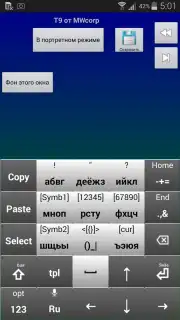
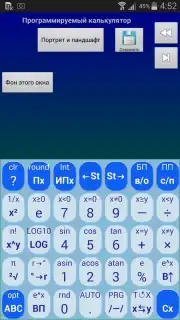
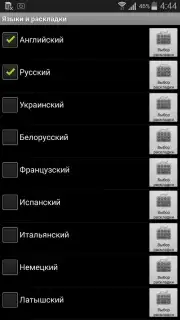
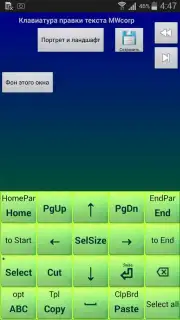
The interface presents a utilitarian design that serves its powerful backend. You manage the keyboard through a detailed settings panel where every visual and behavioral parameter is adjustable. The true depth lies in creating and editing action panels—custom sets of keys, buttons, and triggers that can overlay or replace the standard keyboard. Performance is lean and responsive, a necessity for an input method that handles user-created scripts. The learning curve is acknowledged; this is not an app you configure in five minutes. It demands an investment of time to explore its systems, but the payoff is a level of integration and automation that standard keyboards cannot approach.
Key Advantages of Jbak2 Keyboard
- Advanced Scripting Engine: Create custom macros and scripts for text expansion, navigation, and app control.
- Fully Customizable Layouts: Build action panels with your own keys, sizes, positions, and hierarchies.
- Gesture Input System: Assign commands and text to swipe gestures in all directions for faster input.
- Extensive Theme Editor: Control every pixel with detailed color, font, background, and padding options.
- Local-Only Operation: Functions fully offline with no required cloud services, prioritizing privacy and speed.
Construct the ultimate input tool tailored precisely to your logic. Download the mobile app now and begin building.
Disclaimer: This product requires an internet connection for initial download from the app store only; core functionality operates offline. It may offer in-app purchases for additional feature modules. This input method editor requires activation in your device's system settings. Please be aware of the permissions it requests for full functionality over text input. Use of this tool should comply with your device's terms and your local regulations. Data privacy practices may vary.
Information
| Version | 2.39.06.1 |
| Developer | Михаил Вязенкин |
| Requirements | Android Android + 6.0+ |
| Updated | 17.03.2026 |
| Size | 1.75 MB |
| Package | com.jbak2.JbakKeyboard |
| Signature | 11012012de6befe0699acfa1cb61d36a |
| Architecture | universal |


