


Joplin screenshots (6)
Description Joplin
A Persistent Problem with Modern Note-Taking
Many note-taking applications lock user data into proprietary ecosystems, complicating data ownership and creating sync dependencies on a single service. This often results in fragmented workflows, especially for users transitioning from legacy platforms or requiring access across multiple devices without vendor lock-in. The challenge is finding a tool that offers both organizational depth and true data portability.
Core Functionality and Technical Architecture
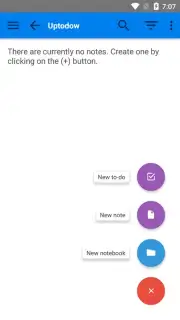
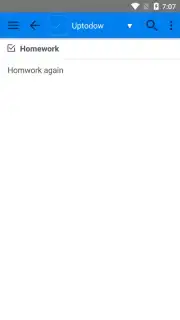
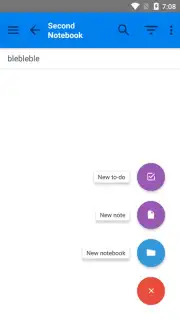
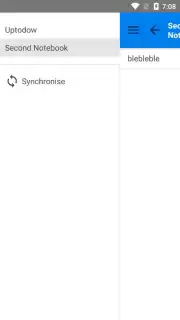
Joplin addresses this by operating as a free, open-source note-taking application designed for Android. Its architecture is built around local-first data storage, with all notes saved in Markdown format on the device. The primary operational mechanic involves creating and managing an unlimited number of separate notebooks. This structure allows for precise content segmentation, enabling users to isolate work projects, personal lists, and reference materials into distinct, searchable containers.
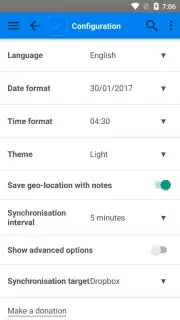
A critical technical feature is its synchronization capability, which is optional and user-configured. Notes can be encrypted and synced across devices using third-party services like Microsoft OneDrive, Nextcloud, or any WebDAV-compatible server. This approach delegates cloud storage choice to the user rather than mandating a specific provider. Furthermore, Joplin provides a dedicated desktop application for Windows, macOS, and Linux, creating a consistent editing environment. A significant utility function is its Evernote import tool, which allows for a bulk migration of notes and notebooks from the Evernote desktop client into Joplin's structure, facilitating platform transitions.
- Unlimited Notebooks & Tags: Create an infinite hierarchy of notebooks and apply multiple tags for granular organization and retrieval of all notes and to-do lists.
- Cross-Platform Synchronization: Securely sync encrypted notes across Android, desktop, and CLI apps using your chosen cloud service like OneDrive or Nextcloud.
- Complete Evernote Migration: Import entire Evernote notebooks, including formatted content and resources, directly via the desktop client for a full platform switch.
- Offline-First Markdown Editing: All notes are written and stored in Markdown locally, ensuring access and editing capability without an active internet connection.
- Zero Advertising & Open Source: The application is completely free of advertisements, with its code publicly auditable for security and privacy transparency.
For users seeking a note-taking system with uncompromised data control, deep organizational tools, and freedom from subscription models, Joplin presents a functionally robust alternative. Consider downloading the mobile app to evaluate its workflow against current needs.
Internet required for sync. IAP available.
Information
| Version | 3.5.9 |
| Developer | Laurent Cozic |
| Requirements | Android Android + 7.0+ |
| Updated | 17.03.2026 |
| Size | 141.9 MB |
| Package | net.cozic.joplin |
| Signature | 09afe57631f0fdb510f1b55b3e478e7b |
| Architecture | armeabi-v7a, x86, arm64-v8a, x86_64 |


