


Keepass2Android Offline screenshots (5)
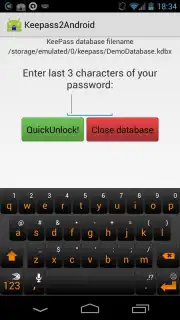
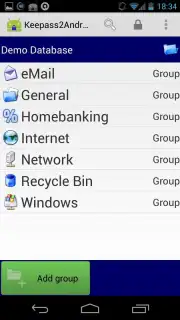
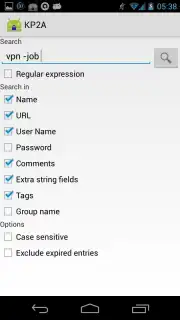
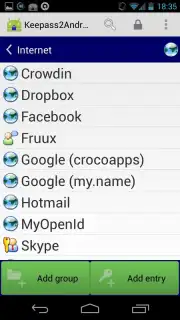
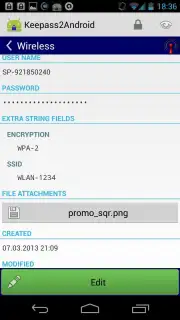
Description Keepass2Android Offline
Ever feel overwhelmed by the sheer number of passwords you need to remember? What if you could secure every single login with one master key, stored safely offline on your own device? Welcome to a simpler, more secure digital life with Keepass2Android Offline.
This powerful, open-source app transforms your Android device into a fortress for your credentials. Forget relying on cloud services you don’t control; this tool puts you in complete command. Your entire password database lives as a single, encrypted KDBX file right on your phone, using the same trusted format as the legendary KeePass for Windows. The experience begins by you creating one strong, memorable master password. This is your only key—guard it well, as it unlocks access to everything else. Once set up, a world of effortless security opens up. The app integrates seamlessly with your daily browsing, offering flawless compatibility with Chrome, Firefox, Opera, and virtually any other Android browser. Saving or auto-filling a login becomes a simple, one-tap affair right from your screen, streamlining your online flow without ever compromising safety.
While its interface prioritizes function over flashy design, you’ll quickly appreciate the pure, uncluttered efficiency. It’s built for those who value substance over style, for anyone juggling dozens of accounts across websites, apps, and services. The focus is squarely on robust performance and absolute privacy, with zero distractions.
- Complete Offline Security: Your password database is stored locally on your device. No cloud syncing means no external servers ever hold your sensitive data, giving you ultimate peace of mind.
- Open-Source Transparency: Built on trusted, publicly auditable code. You can see exactly how your data is protected, fostering a level of trust proprietary apps can’t match.
- Universal Browser Compatibility: Works perfectly with Google Chrome, Mozilla Firefox, Opera, and other major Android browsers for effortless password capture and auto-fill.
- KDBX File Format Standard: Uses the same reliable .kdbx format as KeePass 2.x on Windows, ensuring easy portability and backup of your password vault across platforms.
- One-Tap Password Management: Save new logins or fill existing ones directly from your browser with a single, convenient tap on your screen.
- Ad-Free, Turbo-Efficient Experience: Enjoy a clean, uninterrupted interface with optimized performance for quick access and management, free of any advertisements.
If you’re serious about taking control of your digital security without complexity, this is the tool you’ve been looking for. Consider downloading Keepass2Android Offline today—it’s the smart, self-reliant foundation your online identity needs.
The app requires an internet connection for initial download and browser integration functions. This is a free, open-source application; no in-app purchases are required for core functionality.
Information
| Version | 1.15-r1 |
| Developer | Philipp Crocoll (Croco Apps) |
| Requirements | Android Android + 5.0+ |
| Updated | 17.03.2026 |
| Size | 51.31 MB |
| Package | keepass2android.keepass2android_nonet |
| Signature | 97304578f7940d866cfcc0361cc57b09 |
| Architecture | armeabi-v7a, x86, arm64-v8a, x86_64 |


