

Kiwi Browser screenshots (12)





Description Kiwi Browser
Tired of your mobile browser feeling like a stripped-down, limited version of the real web? What if you could bring the full power and customization of a desktop browser right into your pocket? Welcome to Kiwi Browser, the Android browser that breaks all the rules by putting genuine desktop-grade features at your fingertips, transforming how you explore, interact, and secure your online world.
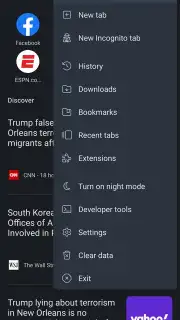
Imagine a browser that doesn’t just show you the web but adapts to how you live in it. Your home screen becomes a dynamic hub, curated with top news tailored to your interests and country, so you start every session informed. You decide which sites get prime real estate for one-tap access, or you can pick up right where you left off with your previous tabs waiting. This is just the beginning of a truly personal web experience.
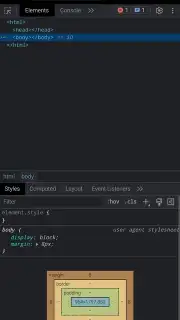
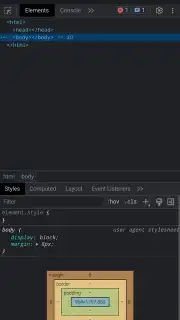
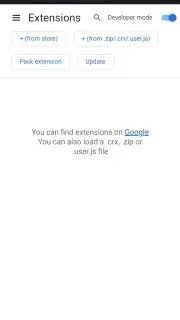
The real magic happens under the hood. Kiwi Browser is built on Chromium, meaning it speaks the same language as Chrome, but without the limitations. You’re handed an unprecedented level of control. Annoying ads and intrusive pop-ups that plague other browsers are silently neutralized by a powerful built-in blocker, leaving you with a clean, fast, and distraction-free page. But the crown jewel is full support for Chrome desktop extensions. That’s right—you can install your favorite ad-blockers, password managers, dark mode enforcers, and productivity tools directly from the Chrome Web Store. Your mobile browser finally grows up and works exactly the way you want it to.
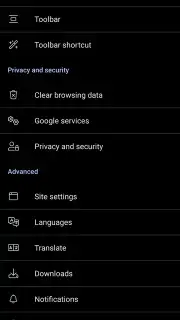
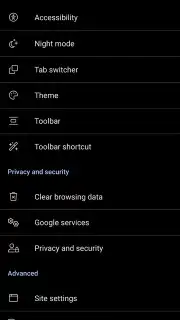
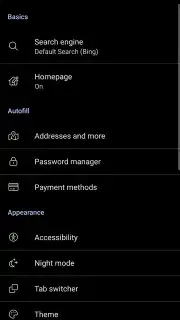
Your comfort and privacy are treated as non-negotiable. Working late or reading in bed? Activate the advanced night mode, which forces a true dark theme across every website, even those not designed for it. Choose from multiple shading profiles to perfectly match your screen, including an ultra-deep black mode for stunning AMOLED displays. For ultimate privacy, Incognito Mode ensures no trace of your session is left behind. Beyond that, Kiwi actively guards against cryptojacking, stopping hidden scripts from hijacking your device’s power to mine cryptocurrency. Even the interface bends to your will—you can move the address bar to the bottom of the screen for effortless one-handed use on large phones, a simple change that makes browsing feel incredibly natural.
Why Your Phone Deserves Kiwi Browser
- Unlock Desktop Power with Chrome Extensions: Install virtually any extension from the Chrome Web Store directly on your Android device, customizing your browsing with tools for privacy, productivity, and entertainment.
- Experience a Cleaner, Faster Web: The integrated ad and pop-up blocker removes intrusive content automatically, speeding up page loads and protecting your focus from annoying distractions.
- Browse Your Way with Deep Customization: From a bottom address bar for easy reach to a forced night mode for any website, tailor every visual and functional aspect to your personal preference.
Stop settling for a basic mobile browser. Transform your Android device into a powerhouse of personalized, private, and efficient web exploration. Download Kiwi Browser now and claim your superior browsing advantage today!
Disclaimer: This application requires an internet connection. The developer may offer in-app purchases. Please be aware of your mobile data usage. This product is intended for a general audience. User data privacy practices may apply; review the developer’s policy for details.
Information
| Version | Git210216Gen570536402 |
| Developer | Geometry OU |
| Requirements | Android Android 4.1+ |
| Updated | 02.09.2026 |
| Size | 52.47 MB |
| Package | com.kiwibrowser.browser |
| Signature | 42:AB:D0:C1:39:A1:8E:BD:DB:75:A7:24:FB:A3:93:FE:C4:43:31:0F |
| Architecture | arm64-v8a |


