


KMPlayer screenshots (15)
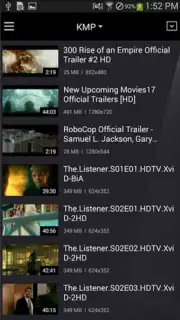
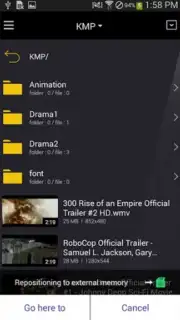
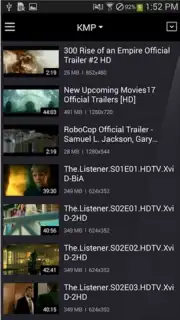

Description KMPlayer
The Universal File Format Dilemma Solved
A common frustration for Android users is encountering a video or audio file that simply won't play. Your device's native player often lacks the necessary codecs, leaving you to search for converters or alternative software. This fragmentation turns a simple desire to watch a movie or listen to a track into a technical chore. The KMPlayer app directly addresses this core problem by functioning as a universal media hub, designed to handle an exceptionally wide array of file formats natively, eliminating compatibility as a barrier to your media library.
In-Depth Analysis of KMPlayer's Capabilities
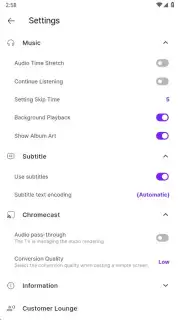
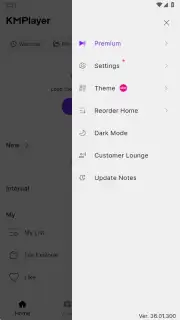
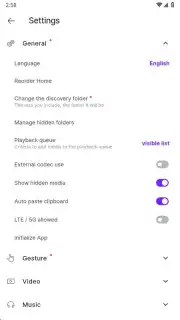
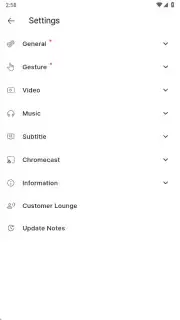
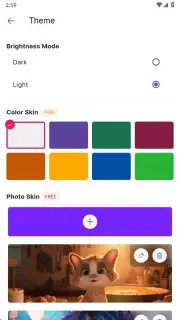
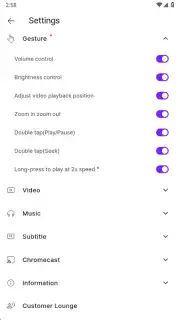
Beyond its foundational role as a format-agnostic player, KMPlayer provides a suite of granular controls that cater to both casual viewers and media enthusiasts. The playback interface is built around customization, offering a detailed on-screen gesture system. You can assign double-taps, swipes, and pinches to functions like brightness adjustment, volume control, or timeline scrubbing, creating a personalized control scheme. The integrated audio equalizer is not a simple preset selector but a fully parametric tool allowing for precise frequency band adjustments, which is particularly effective for music playback or clarifying dialogue in complex audio mixes. For video, the image tuning options extend beyond basic brightness and contrast into saturation, hue, and sharpness controls, enabling you to compensate for poor source quality or tailor the output to your screen's characteristics.
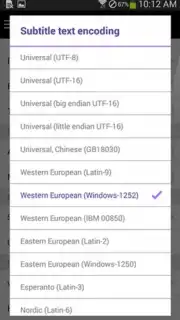
The application’s subtitle engine is a professional-grade feature often overlooked. It doesn't merely display .srt files; it provides robust synchronization tools, allowing you to delay or advance subtitle tracks by millisecond increments to achieve perfect lip-sync. Support for advanced formats like SSA/ASS means styled subtitles, karaoke effects, and precise positioning are rendered correctly. The bookmarking function transforms from a simple note into a scene management system. You can label bookmarks with custom names, creating a navigable index within a long film or series for instant access to key moments, a boon for review, study, or shared viewing experiences.
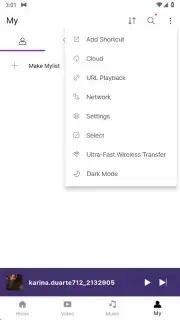
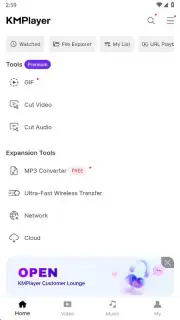
The VIP subscription layer unlocks a set of utilities that shift the app from a player to a media processing toolkit. The torrent streaming capability is implemented as an integrated download manager that begins playback of video content from a torrent file almost immediately, without requiring the download to complete first. The GIF creation tool is surprisingly detailed, allowing you to set the exact start and end points of your clip, define frame rate, and apply basic filters before export. Similarly, the audio extraction function lets you select a portion of a video file and save the audio track in your preferred format, effectively turning any video into a potential music or podcast source.
Core Feature Set Breakdown
- Extensive Codec Library: Decodes virtually all major video (MKV, AVI, MP4, FLV, RMVB, TS) and audio (MP3, FLAC, AAC, WAV) formats alongside complex subtitle files (SRT, ASS, PGS, VobSub) without external codec packs.
- Advanced Playback Customization: Features a gesture-based control panel, a parametric audio equalizer, and real-time video filters for brightness, contrast, saturation, and sharpness adjustment during playback.
- Media Utility Suite (VIP): Enables direct streaming from torrent files, precise GIF creation from video segments, and lossless audio extraction from video containers for offline use.
Download KMPlayer for Android Now
Stop wrestling with incompatible files and limited players. Transform your Android device into a powerful, customizable media center capable of handling your entire collection. Install KMPlayer today to experience seamless playback, professional-grade controls, and advanced media tools.
Disclaimer: This application requires an internet connection for initial codec downloads, subtitle fetching, and VIP features like torrent streaming. The app may offer in-app purchases for a VIP subscription. Please be aware of data usage charges when streaming content. The app may request permissions to access media files and storage on your device. Use in accordance with applicable copyright laws. Not all features are available in the free version.
Information
| Version | 46.02.250 |
| Developer | Pandora.TV |
| Requirements | Android Android + 7.0+ |
| Updated | 17.03.2026 |
| Size | 195.48 MB |
| Package | com.kmplayer |
| Signature | 2cd27b7304edab3f20cb96bbab9979ce |
| Architecture | armeabi-v7a, arm64-v8a, x86_64 |


