


Koloro screenshots (10)






Description Koloro
Looking for a faster way to apply professional Lightroom presets?
Koloro, developed by cerdillac, functions as a specialized extension for Adobe Lightroom workflows, specifically designed to streamline the process of color grading and stylistic editing. This application addresses a common bottleneck in photo editing: the time required to manually replicate complex color profiles. It provides a curated library of community-generated Lightroom presets that are instantly downloadable and applicable. While Adobe's software offers near-limitless manual control, Koloro serves as a practical repository of finished looks, enabling users to achieve a polished, professional aesthetic in their photographs with minimal effort. The primary value proposition lies in its efficiency, turning a process that could involve dozens of adjustments into a one-tap operation followed by optional fine-tuning.
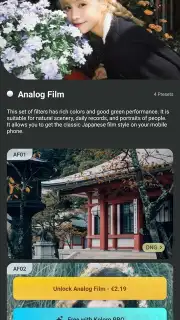
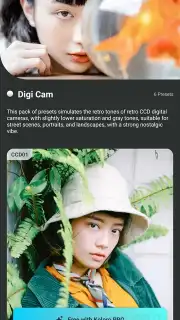
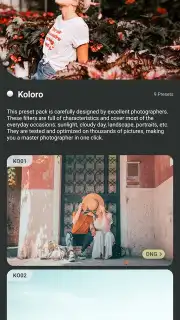
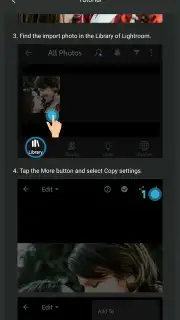
The application's interface is built for direct utility. All available presets, contributed by the user community, are displayed in a scrollable grid within the main menu, eliminating the need for complex navigation. Selection is a matter of browsing visual thumbnails and tapping the filter that best aligns with the desired color narrative for your image. A key operational note is that Koloro requires a connection to Adobe Lightroom to function; it installs the selected presets directly into your Lightroom library. After applying a preset, the image is opened within Lightroom, where the full suite of Adobe's manual adjustment tools remains available. This allows for granular refinement of exposure, contrast, white balance, and other parameters, giving you the foundational style of a preset with the option for complete creative control over the final result.
- Extensive library of downloadable, community-created Lightroom presets and filters.
- Direct integration applies selected presets instantly into your Adobe Lightroom workflow.
- Streamlined, ad-free browsing interface for efficient visual preset selection.
- Full manual parameter adjustment remains available in Lightroom after preset application.
- Designed to deliver professional-grade color grading and stylistic effects in seconds.
Download the Koloro mobile app now to unlock exclusive early access to its premium preset collections—this limited offer expands your editing toolkit immediately. Heads up: you'll need wifi for downloading presets. Some cool stuff is extra.
Information
| Version | 6.2.8 |
| Developer | cerdillac |
| Requirements | Android Android + 5.0+ |
| Updated | 17.03.2026 |
| Size | 58.49 MB |
| Package | com.cerdillac.persetforlightroom |
| Signature | aaa20ddc122992138427cee2fe6d42fc |
| Architecture | armeabi-v7a, arm64-v8a |


