

L Speed screenshots (10)
Description L Speed
A Root User's Toolkit for Unlocking Hidden Performance
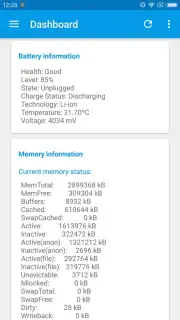
For the Android enthusiast who has navigated the process of obtaining root access, the quest for finer control over their device's performance is a familiar journey. L Speed enters this space not as a simple one-click booster, but as a comprehensive, granular toolkit designed for users who understand the underlying systems of their hardware. It presents a vast array of specific tweaks and system-level adjustments, all consolidated into a single application interface. The core premise is clear: to leverage root privileges for measurable gains in speed, battery efficiency, and system fluidity. Without these elevated permissions, the application's functionality remains intentionally basic, as its most potent features operate deep within the Android OS. This design choice positions L Speed firmly as a utility for advanced users seeking to move beyond superficial optimizations.
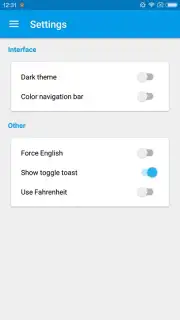
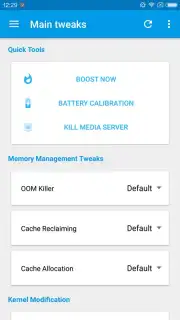
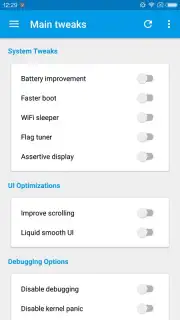
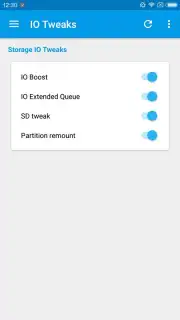
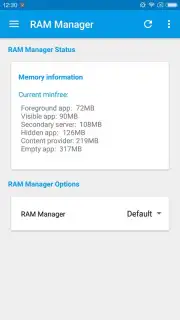
The application's interface can initially appear dense due to the sheer volume of available parameters. Acknowledging this, the developer provides a curated set of recommended configurations that serve as an optimal starting point for most devices. These are not arbitrary selections but are aimed at creating a balanced performance profile. The recommendations strategically activate system tweaks like enhanced scrolling responsiveness and I/O boosting while managing resources through a balanced RAM manager. Crucially, it includes stability-focused options such as disabling kernel panic and USB debugging, which help prevent common system crashes and background resource drains. For users concerned about storage performance, the SD card tweak is also enabled by default within this profile. The ability to individually toggle each setting on or off allows for extensive customization, but the recommended configuration effectively demystifies the process for first-time users.
Core Functionality and User Control
What distinguishes L Speed from many other system tools is its commitment to providing tangible, adjustable levers rather than opaque automation. Each toggle corresponds to a specific system file or kernel parameter adjustment. The application’s value lies in this transparency and control.
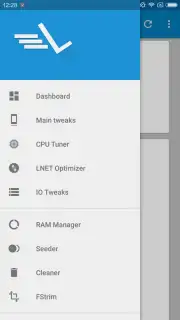
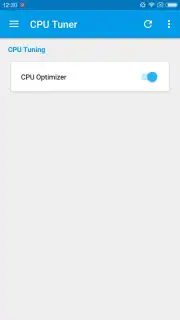
- Granular System Tweaks: Adjust kernel parameters and build.prop values for CPU scheduling, virtual memory management, and network optimization directly from a unified dashboard.
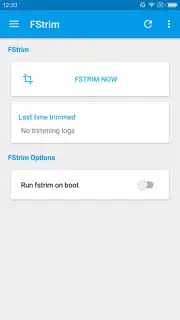
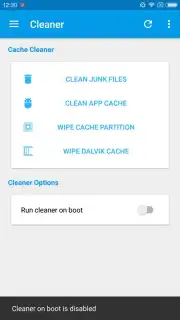
- Resource Management Suite: Employ a dedicated RAM manager with balanced, aggressive, or multitasking profiles, alongside automatic cache cleaning during system boot sequences.
- Battery and I/O Enhancements: Activate dedicated battery saver algorithms and boost storage read/write speeds for both internal memory and external SD cards.
A significant safety net is built into the application: a one-touch reset to default settings located in the top-right corner. This feature is essential for experimentation, allowing users to revert their device to a stable state instantly if any custom configuration leads to instability. For those who have not yet rooted their device, the path to unlocking L Speed's full potential typically involves using trusted third-party PC or mobile applications like KingoRoot, which can be sourced from reputable platforms like Uptodown. This step is a necessary gateway to transitioning from a standard user to one capable of system-wide performance tuning.
Download L Speed – Advanced Optimizer now to unlock the full potential of your rooted Android device. This is a limited-time opportunity for experienced users to gain exclusive access to professional-level system tuning.
Heads up: you'll need wifi for the initial download and setup. Some of the most advanced kernel tweaks and profiles are considered extra features within the app's ecosystem.
Information
| Version | 2.5.1.5 |
| Developer | Paget96 |
| Requirements | Android Android + 5.0+ |
| Updated | 17.03.2026 |
| Size | 7.21 MB |
| Package | com.paget96.lsandroid |
| Signature | 1a8b182632312a377181d53f88744ee9,685fbdce380bc4c9f1fecebc4db30206 |


