


Launcher 10 screenshots (7)
Description Launcher 10
A Familiar Desktop, Reimagined for Your Pocket
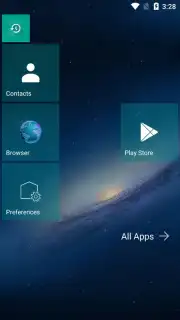
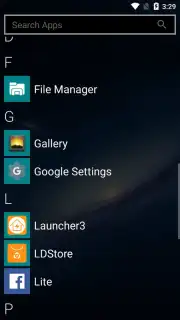
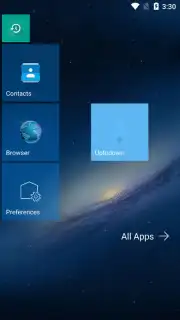
For users accustomed to the structured, tile-based interface of Windows 10, transitioning to the fluid icon grid of Android can feel like a step into disorganization. Launcher 10 directly addresses this by reconstructing the visual language and functional logic of the Windows desktop environment for mobile devices. It is not a superficial skin but a comprehensive launcher that replaces your device's home screen system, prioritizing information density and consistent aesthetics. The application provides a methodical, grid-anchored experience that appeals to users seeking order and rapid access without sacrificing the underlying power of the Android operating system.
Core Functionality and Customization Depth
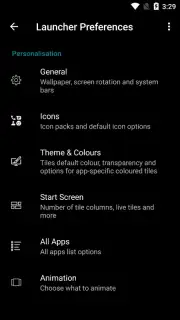
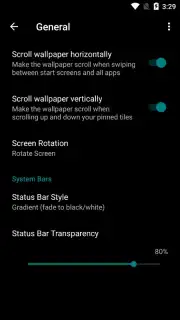
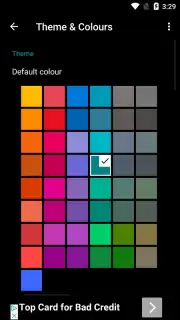
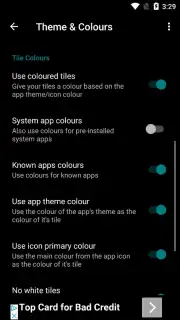
The primary operational mechanic of Launcher 10 involves the creation and management of live tiles, which serve as dynamic shortcuts for applications, contacts, and system functions. Each tile is fully configurable in terms of size, spanning one or multiple grid cells, and can display real-time information such as unread counts or weather updates. The launcher's settings panel offers granular control over the entire environment, allowing adjustments to the grid column count, icon label visibility, and animation behaviors. A significant focus is placed on aesthetic personalization, with independent controls for background opacity, tile accent colors, and system-wide font styles, enabling a cohesive visual theme.
Beyond static customization, the launcher supports functional widgets that can be embedded directly into the tile grid, unlike the segregated widget drawer common in other Android launchers. The inclusion of icon pack support allows for a complete visual overhaul, moving beyond the default tile aesthetics. Performance is managed through a dedicated Turbo mode, which is designed to streamline operations and is advertised to enhance responsiveness. The home screen layout is not static; users can create multiple pages, organize tiles into groups with labeled sections, and set specific actions for gestures like double-taps or swipes on individual tiles.
- Fully Adjustable Live Tiles: Modify size, color, transparency, and information feed for every application shortcut.
- Comprehensive Grid and Theme Engine: Control column count, icon styles, fonts, and background effects for a unified look.
- Integrated Widget and Turbo System: Place functional widgets within the tile grid and activate a performance optimization mode.
Download Launcher 10 immediately to transform your Android device's interface! Don't wait to experience the structured efficiency of a desktop-inspired layout on your mobile phone. Get it now and start your customization!
Heads up: you'll need wifi for initial setup and downloading icon packs. Some advanced themes and visual packs are extra.
Information
| Version | 2.8.19 |
| Developer | nfwebdev |
| Requirements | Android Android + 6.0+ |
| Updated | 17.03.2026 |
| Size | 20.22 MB |
| Package | com.nfwebdev.launcher10 |
| Signature | dd24e537c2eafb9249bcdab266d97c09 |
| Architecture | armeabi-v7a, arm64-v8a, x86_64 |


