

Launcher iOS 18 screenshots (11)


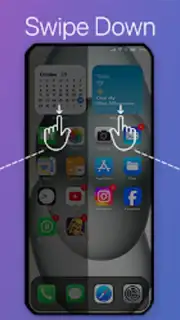
Description Launcher iOS 18
Transforming Your Android Interface: A Functional Analysis of Launcher iOS 18
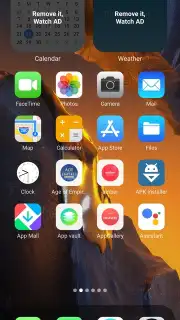
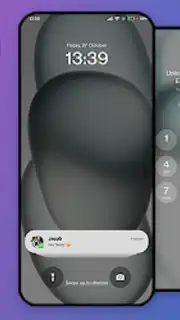
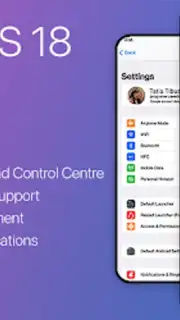
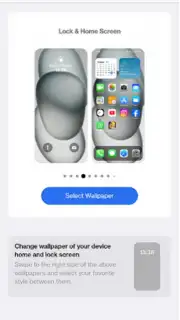
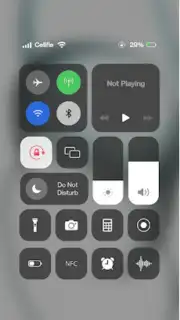
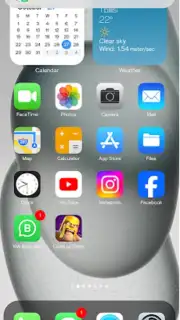
For Android users seeking the distinctive visual architecture of Apple's iOS without changing hardware, interface customization apps present a direct solution. Launcher iOS 18 operates as a system theme engine, specifically designed to replicate the core aesthetic and layout elements found on an iPhone 15 Pro Max, and apply them to an Android device. The process involves installing the application package and granting specific system-level permissions, which allows the launcher to modify foreground processes and manage home screen components. The objective is a visual transformation that closely mimics Apple's design language, from iconography to widget placement.
Core Operational Mechanics and Feature Access
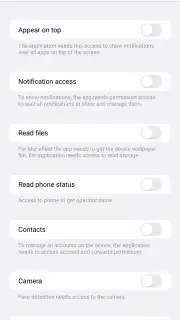
The application's functionality is contingent upon user-granted permissions. These permissions are standard for launcher applications and are required to perform tasks such as replacing the default home screen, drawing over other apps for certain widget functionalities, and modifying notification settings. Management of these permissions is conducted through a dedicated screen within the app, providing clear toggle controls for access. A notable operational aspect is its dual-model feature access: a base set of iOS-style transformations is provided immediately, while an expanded suite of widgets and customization tools is gated behind a voluntary advertising engagement wall.
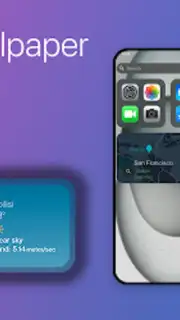
The advertising-for-features model is a central component. Users can opt to view video advertisements in exchange for unlocking specific iOS-style widgets, such as a calendar or weather application that visually match their Apple counterparts. This model, referred to as "Turbo" within the app context, also results in the removal of banner and interstitial advertisements from the main launcher experience during active use. The transformation includes automated icon theming to align with iOS standards, systematic layout adjustments, and the application of a cohesive color and font scheme.
- Visual Environment Overhaul: Systematically applies the iOS 18 home screen layout, icon grid, dock, and system-wide aesthetic elements to your Android device.
- Permission-Based Customization Engine: Requires explicit user permissions to manage home screen processes, notification displays, and overlay functions for complete interface control.
- Ad-Supported Feature Unlocks: Enables access to premium iOS-style widgets, like detailed weather and calendar modules, through voluntary engagement with video advertisement content.
The practical outcome is a significant visual alteration of the Android operating system's front-end. Users should note that this is a cosmetic and usability layer; underlying Android system functionalities, settings menus, and core applications remain unchanged. The launcher provides a method to approximate the iOS experience through surface-level modifications that are reversible by simply switching back to the default launcher in the device settings.
Get your bonus iOS interface and start transforming your Android device today. Download the Launcher iOS 18 APK now to initiate the setup.
Disclaimer: This application requires a stable internet connection for initial configuration, advertisement streaming to unlock certain features, and potential updates. The app may offer in-app purchases or promotional content. It requires permissions to alter your device's home screen and display over other apps.
Information
| Version | 1.2.5 |
| Developer | Georgia Developer |
| Requirements | Android Android + 10+ |
| Updated | 17.03.2026 |
| Size | 59.88 MB |
| Package | com.ios.launcherios |
| Signature | 6c64ba949c4e73bddae6962996174b9f |
| Architecture | armeabi-v7a, x86, arm64-v8a, x86_64 |


