


Launcher iOS 26 screenshots (8)

Description Launcher iOS 26
Transform Your Android Device with an Authentic iOS Interface
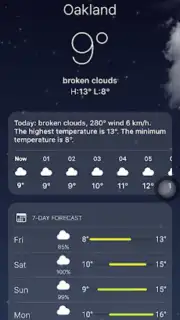
Launcher iOS 26 delivers the core visual and interactive experience of an iPhone directly to your Android device. This application is engineered to replicate the streamlined navigation and polished aesthetic of iOS, providing a seamless overlay that enhances daily device interaction without modifying your system software. It integrates specific functional modules that personalize and optimize device management, offering a distinct operational environment.
Core iOS Interface Replication
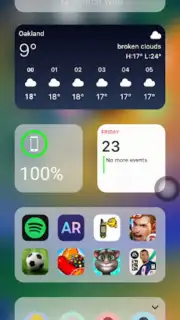
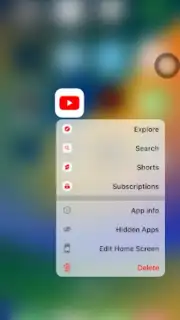
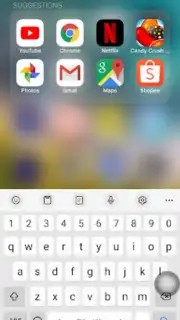
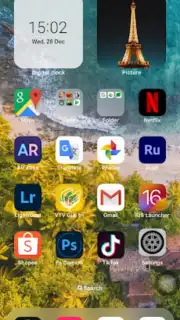
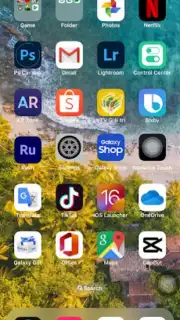
The application constructs a precise visual and navigational duplicate of the iOS home screen, lock screen, and app library. This includes the signature grid of rounded icon designs, the familiar dock at the screen's base, and the characteristic font rendering. The interface is built for operational clarity and immediate user recognition, translating the tactile navigation patterns of iOS into touch gestures on Android. The environment maintains consistent responsiveness, aiming to mirror the fluidity associated with Apple's ecosystem within the Android framework.
Advanced Control and Customization Modules
Launcher iOS 26 incorporates several standalone functional panels inspired by iOS utilities. A centralized Control Center panel slides into view, granting one-tap toggles for settings like Bluetooth, Wi-Fi, screen rotation, and flashlight. A separate quick-access panel, analogous to AssistiveTouch, provides a floating menu for launching frequent applications or executing system actions. Users can apply static or dynamic wallpapers identical to those found on iPhone models, and adjust icon layout and folder management to complete the visual transformation.
Detailed Functional Specifications
- Implement the complete iOS 16 / 17 style home screen layout with authentic iconography and widget placement.
- Activate the sliding Control Center for instant management of connectivity and device settings.
- Enable a floating quick-access menu for launching apps and shortcuts from any screen.
- Apply official iPhone wallpapers and customize icon grid spacing and folder aesthetics.
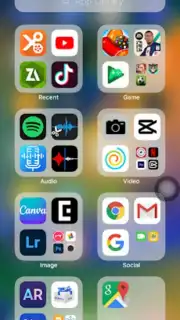
- Utilize the app library auto-organization feature to sort all installed applications by category.
Download Launcher iOS 26 now and gain exclusive early access to the latest interface build—this version is available for a limited user cohort before a wider rollout.
Heads up: you'll need wifi for initial setup and asset downloads. Some cool stuff is extra.
Information
| Version | 8.8.1 |
| Developer | LuuTinh Developer |
| Requirements | Android Android + 5.0+ |
| Updated | 17.03.2026 |
| Size | 12.1 MB |
| Package | com.luutinhit.launcherios |
| Signature | 4be0b78805634cc72cc5f0e15ae877f2 |
| Architecture | armeabi-v7a, x86, arm64-v8a, x86_64 |


