

Launcher+ screenshots (8)
Description Launcher+
Your Phone, Reimagined from the Ground Up
Launcher+ is not a simple theme or icon pack; it is a comprehensive system-level overhaul that transforms your Android device into a uniquely personal and highly efficient command center. It addresses the core frustration of stock interfaces—their rigid, one-size-fits-all approach—by handing you complete architectural control. This app is for users who view their smartphone not just as a tool, but as a dynamic extension of their workflow and aesthetic preference, demanding an experience that is both deeply personalized and ruthlessly functional.
A Foundational Tool for Total Interface Control
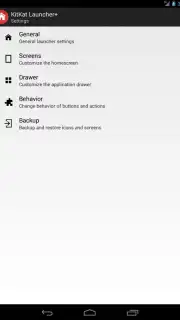
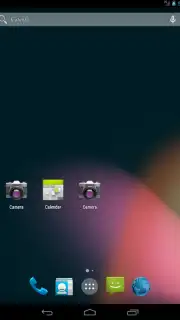
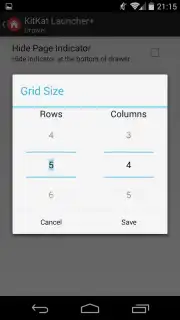
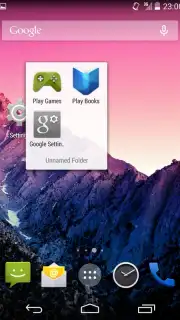
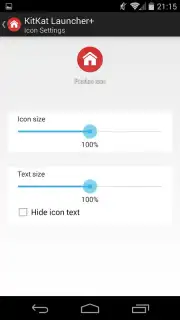
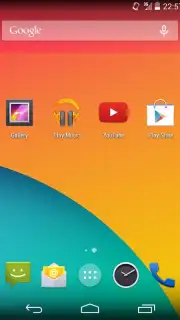
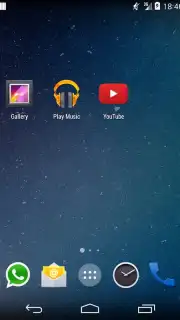
The app operates as a powerful replacement for your device's default home screen, providing a suite of professional-grade customization tools. You can define the exact grid size for your app icons, eliminating awkward gaps and allowing for precise, dense layouts. Beyond static icons, Launcher+ supports fully customizable widgets for at-a-glance information, from system performance metrics to calendar events and news feeds. A highly adaptable dock can be resized, repositioned, and populated with your most essential apps and shortcuts. The gesture system is particularly robust, allowing you to assign actions—like launching an app, toggling settings, or opening a search bar—to swipes, pinches, and double-taps on the home screen. This creates a navigation layer that is faster than traditional tapping.
Engineered for Performance and Personal Expression
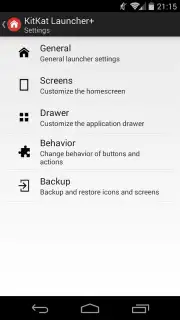
The primary advantage of Launcher+ is its seamless fusion of deep customization with operational stability. It manages to offer extensive visual changes—including icon theming, font replacement, and animation customization—without introducing noticeable lag or battery drain, even on older hardware. The user interface for managing these settings is logically organized, making advanced adjustments accessible rather than intimidating. Visually, it enables a clean, minimalist aesthetic or an information-rich dashboard, all while maintaining smooth, consistent animations. It effectively decouples your phone's functionality from the manufacturer's software skin, granting a level of personalization typically requiring root access.
- Pixel-Perfect Home Screen Grids: Define exact rows and columns for flawless icon and widget alignment.
- Advanced Gesture Navigation System: Assign apps and actions to intuitive swipe and tap gestures.
- Fully Customizable Widget Suite: Integrate resizable information modules for productivity and glanceability.
- Comprehensive Visual Theme Engine: Apply cohesive icon packs, change system fonts, and adjust animation styles.
- Persistent, Configurable Dock: Create a stable anchor for your most-used apps with adjustable transparency and size.
Don't settle for the generic interface your phone came with. Take direct control and build a home screen that truly works for you.
Download Launcher+ now and start your rebuild today!
Internet required. IAP available.
Information
| Version | 1.2.7 |
| Developer | Björn Vermeule |
| Requirements | Android Android + 4.1, 4.1.1+ |
| Updated | 17.03.2026 |
| Size | 1.64 MB |
| Package | nl.ndsc.kitkatlauncher |


