

LauncherPro screenshots (5)
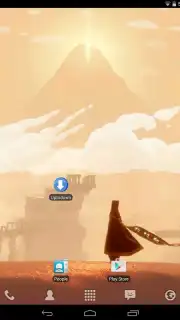
Description LauncherPro
Imagine your Android home screen not just as a static grid, but as a dynamic workspace that adapts to your workflow. LauncherPro replaces your device's default launcher with a lightweight, highly customizable environment designed for efficiency and personal expression. It moves beyond basic icon arrangement to offer a structured yet flexible system for organizing apps, widgets, and shortcuts, all while maintaining minimal impact on system performance and storage.
Core Functionality and Customization
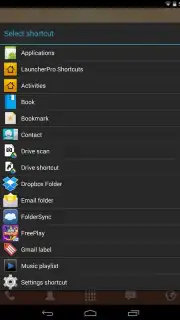
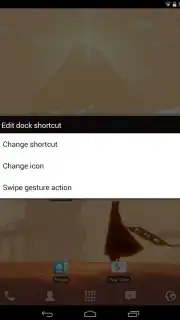
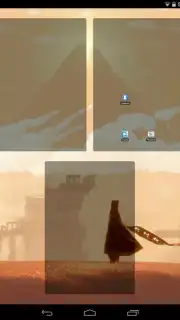
The application provides a framework for up to seven distinct desktop screens, allowing for the logical separation of work, social, and entertainment applications. Users can create animated folders, which feature visual feedback during opening and closing actions, to group related items without clutter. A dedicated dock area offers persistent, one-tap access to frequently used apps and can be configured with a scrolling function to hold more shortcuts than its visible space suggests. The system supports the integration of a wide array of specific widgets for information at a glance, from system monitors to media controllers.
Performance and Operational Details
LauncherPro operates with a notably small footprint, consuming minimal RAM and battery resources, which contributes to its overall stability and speed. Upon first launch after installation, Android's standard app chooser dialog will appear when pressing the home button, asking you to select between your original launcher and LauncherPro. This prompt can be resolved permanently by setting LauncherPro as the default home application within your device settings. The Pro version, available via in-app purchase, unlocks an expanded set of customization parameters and advanced features, building upon the ad-free experience and core toolset.
- Supports up to seven home screens
- Animated folder open/close actions
- Scrolling dock for extra shortcuts
- Extensive widget compatibility
We suggest trying LauncherPro to experience a more responsive and organized Android interface. Consider downloading it to directly compare its customization depth and smooth operation against your current setup.
Internet required. IAP available.
Information
| Version | 0.8.6 |
| Developer | Federico Carnales |
| Requirements | Android Android + 1.5+ |
| Updated | 17.03.2026 |
| Size | 2.07 MB |
| Package | com.fede.launcher |
| Signature | 79a8fe67664df87067768a2bba089cd9 |


