

Layout screenshots (5)

Description Layout
Imagine scrolling through your camera roll, seeing a series of moments that tell a story too big for a single frame. A weekend adventure, a night out with friends, a progression of expressions—these moments deserve to be seen together. You need a way to weave them into a single, impactful image without the hassle of complex editing software. This is the exact problem Layout from Instagram solves, placing powerful collage creation directly into your hands with the polish and simplicity you expect from the social media giant.
Craft Your Narrative with Effortless Precision
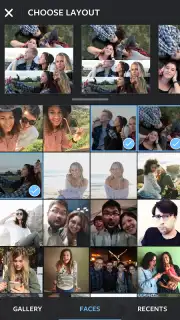
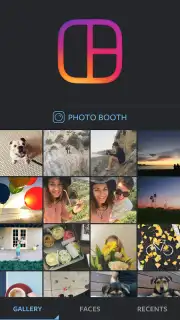
Layout transforms your scattered photos into cohesive visual stories. You begin by selecting up to nine images from your Android device's gallery. The app then presents you with a diverse array of clean, modern templates. These aren't just simple grids; you'll find dynamic layouts with vertical lines, horizontal splits, and combined frames that intelligently arrange your photos for maximum visual appeal. The process is intuitive: choose your photos, pick your preferred template, and the initial composition is ready in seconds.
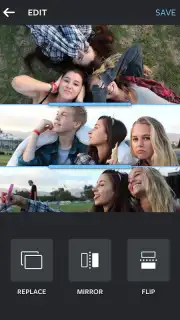
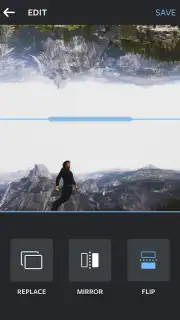
The real magic happens in the detailed editor. This is where you perfect the narrative. You can pinch and zoom to adjust the crop and focus of each individual image within its frame, ensuring the right detail is highlighted. A simple tap lets you swap a photo if you change your mind. For more creative flair, you can mirror an image for a symmetrical effect or use the quick-replace function to cycle through your gallery instantly. The interface responds immediately to every touch, with no lag or clutter to disrupt your creative flow.
Beyond the Gallery: Instant Capture Mode
Beyond using existing photos, Layout features a dedicated Photo Booth mode for spontaneous creation. This mode activates your front and rear cameras simultaneously, allowing you to capture a rapid series of shots—goofy selfies, reaction shots, or a sequence of actions—in under fifteen seconds. The app then instantly arranges these fresh captures into a lively, animated collage that’s perfect for sharing in the moment. It eliminates the need to plan ahead, making it ideal for capturing genuine, unfiltered fun.
A Polished Tool Built for Reliability
From the moment you open the app, the quality of its construction is evident. The interface is elegantly minimal, with every tool logically placed and self-explanatory. There are no intrusive ads to break your concentration, allowing you to focus entirely on creating. Stability is a key strength; functions work perfectly without crashes or bugs, a testament to its development by Instagram. While the Android ecosystem has numerous collage apps, Layout distinguishes itself through seamless performance, thoughtful design, and deep integration with the social sharing experience.
- Combine up to nine photos
- Choose from multiple smart templates
- Adjust, mirror, and swap images easily
- Use instant Photo Booth mode
Stop letting your best moments live in isolation. Download Layout now and start combining your photos into stunning, shareable stories today. Transform your gallery and elevate your social posts immediately!
Download the Layout mobile app now!
*Disclaimer: This application requires an internet connection for certain functions and updates. The app is free to download and use; please review in-app purchase options within the app store. Parental guidance is recommended. Data usage may apply depending on your activity and connection.
Information
| Version | 1.3.8 |
| Developer | |
| Updated | 17.03.2026 |
| Size | 3.22 MB |
| Package | com.instagram.layout |
| Signature | f9cf2124dfaaccc45e7e3f739eca55ae |
| Architecture | armeabi-v7a |


