

LINE Launcher screenshots (4)
Description LINE Launcher
A Fresh Canvas for Your Android
For many, the standard Android interface is a functional but uninspiring starting point. It serves its purpose, but offers little room for personal expression or streamlined workflow. The LINE Launcher by dodol.com enters this space not as a mere cosmetic tool, but as a comprehensive theming engine. It approaches device customization with a holistic philosophy, asserting that true personalization extends beyond a wallpaper to encompass every visual and interactive element on your screen. This review examines whether its version 2.4.38 delivers a cohesive and powerful customization suite worthy of replacing your default launcher.
Feature Analysis: Beyond Surface-Level Changes
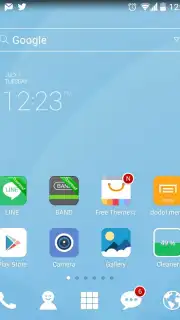
The core proposition of LINE Launcher is unified theming. It operates on the principle that icons and wallpapers should not be mismatched components but parts of a single design language. Upon installation, the launcher provides a curated set of elegant default themes. These are complete packages where the wallpaper, and the icons for core applications like the Camera, Browser, Gallery, and Google Play Store, are designed in concert. This eliminates the visual dissonance often found in piecemeal customization.
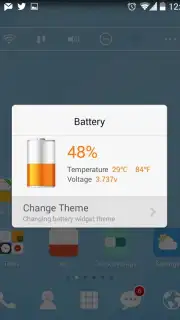
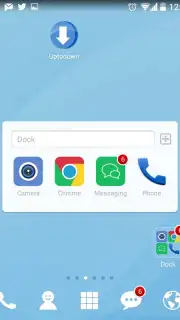
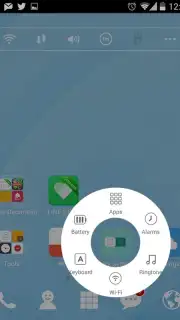
A significant operational note is the implementation of its monetization. The launcher offers a 'Turbo' mode, which is promoted as removing advertisements and unlocking a suite of performance and exclusive customization benefits. This model provides a clear upgrade path from the standard experience. Functionality is further enhanced through widget integration. The launcher supports various utility widgets that can be placed directly on the home screen. One highlighted example is a system cleaner widget, allowing for one-tap optimization and providing real-time status updates on device resources without leaving the launcher environment.
The customization depth continues with typography and expandability. Users are not limited to pre-installed themes; the launcher features a dedicated section for downloading additional theme packs, continually refreshing the device's aesthetic. Furthermore, it includes a font-changing utility, enabling users to alter the system-wide typeface—a detail often overlooked by other launchers but critical for complete visual overhaul.
- Delivers complete, unified theme packs with matching wallpapers and full icon sets.
- Integrates utility widgets for functions like one-tap system cleaning and monitoring.
- Provides a 'Turbo' upgrade path to remove advertisements and access premium features.
- Features a built-in theme store for downloading expansive additional design packages.
- Includes system-level font customization for comprehensive visual personalization.
This combination of cohesive design, practical widgets, and deep customization tools positions LINE Launcher as a robust option in the Personalization category. It successfully transforms the Android interface into a more aesthetically pleasing and functionally tailored environment.
Download LINE Launcher now—exclusive early access to new theme collections is live for a limited time for the first 10,000 users this week.
Disclaimer: This application requires an internet connection for downloading additional themes and content. The app may contain in-app purchases for premium features and themes.
Information
| Version | 2.4.38 |
| Developer | dodol.com |
| Requirements | Android Android + 4.0.3, 4.0.4+ |
| Updated | 17.03.2026 |
| Size | 23.45 MB |
| Package | com.campmobile.launcher |
| Signature | e98c0a45a202de7ea1374b725b0e71a1 |
| Architecture | armeabi-v7a, x86, arm64-v8a, x86_64 |


