

Размер экрана screenshots (1)
Description Размер экрана
Understanding Your Device's Display Specifications
For developers, designers, and technically curious users, accessing precise screen metrics on an Android device is often more cumbersome than it should be. Manually calculating pixel density or determining the exact resource folder in use typically involves digging through system settings or relying on fragmented online tools. Screen Size addresses this gap by providing immediate, centralized access to critical display and device parameters directly from a clean, standalone interface.
Core Analytical Functionality and Design Philosophy
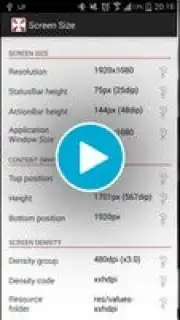
The application operates as a diagnostic and informational tool, presenting a fixed panel of real-time data points. Its primary function is to report the physical screen resolution in pixels, the calculated density in DPI (dots per inch), and the system's current font scale setting. Beyond basic display metrics, it extracts and displays the precise height measurements for the status bar, the action bar, and, crucially, the on-screen navigation bar for devices utilizing soft keys. A distinct technical feature is its identification of the device's active resource folder (e.g., drawable-hdpi, drawable-xxhdpi), which is directly valuable for Android developers optimizing asset delivery.
The interface is strictly utilitarian, employing a monochromatic or minimal color scheme that presents all data in a single, scrollable view without menus or configurable settings. This design eliminates any learning curve. A significant operational characteristic is its fully offline capability; all displayed information is sourced locally from the device's system framework without transmitting data externally. This local processing also means the application consumes negligible battery and processing resources during use.
- Comprehensive Display Diagnostics: Instantly reveals screen resolution, pixel density, and active font scaling for precise layout planning.
- Detailed Component Measurement: Provides exact pixel heights for system UI elements including the status, action, and navigation bars.
- Developer-Focused Resource Identification: Detects and displays the specific Android resource folder (
drawable-xxxhdpi, etc.) currently in use by the device.
Get your precise device metrics and streamline your development or troubleshooting process by installing Screen Size today.
Heads up: this utility functions entirely offline. All data is read locally from your device. The app is free with no ads, though future versions may introduce optional premium features.
Information
| Version | 2.6 |
| Developer | Vilius Kraujutis |
| Requirements | Android Android + 1.6+ |
| Updated | 17.03.2026 |
| Size | 898.83 KB |
| Package | lt.andro.screensize |
| Signature | a96f17a8ab0866c0ba580d2a24649b3c |


