


Magic Eraser - Remove Object screenshots (4)


Description Magic Eraser - Remove Object
A Professional Tool for Object Removal and Image Cleanup
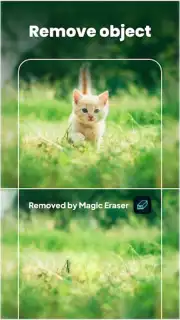
Magic Eraser - Remove Object is a utility-focused application designed for the specific task of cleaning unwanted elements from photographs. It operates by allowing users to select and erase distractions such as background objects, people, text overlays, and watermarks. The core function centers on using AI-driven tools to fill in the removed areas convincingly, aiming to maintain the original texture and lighting of the image without leaving obvious artifacts. This positions the app as a practical solution for quick photo corrections rather than a broad creative suite.
The application's workflow is built around a singular, streamlined process. Users import an image, manually highlight the element they wish to delete using a brush or lasso tool, and then initiate the erasure algorithm. Post-removal, a suite of basic adjustment tools becomes available for final refinements, including options to correct color balance or apply sharpening to the edited area. The interface is structured to prioritize this erase-and-replace mechanic, with secondary editing features acting as supportive functions to polish the final result.
Core Functionality and User Workflow
Performance is tied directly to the precision of the AI inpainting technology. The application processes deletions by analyzing the surrounding pixels to generate a plausible background, a computational task that requires a stable internet connection for optimal results. The effectiveness varies with image complexity; simple textures like sky or grass are handled more seamlessly than intricate patterns. An undo/redo history is integral to the workflow, permitting multi-step corrections and experimentation without risk to the original image file.
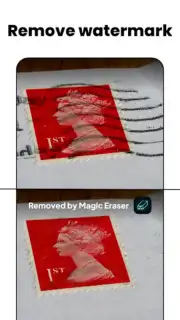
A notable operational mode is the dedicated watermark and stamp remover. This tool is calibrated to target semi-transparent logos, date stamps, and small superimposed text, often using a different selection sensitivity compared to the standard object eraser. For broader edits, such as removing a person from a scene, the user must carefully outline the subject, and the application then renders the space based on adjacent visual data. The output is a cleaned image, which can then be exported at various quality settings.
- Targeted Object and Person Removal: Utilizes manual selection tools to isolate and delete specific items or individuals from the image frame, with AI reconstructing the background.
- Watermark and Text Elimination: Features a dedicated mode for erasing superimposed logos, text, and date stamps from photos while attempting to preserve underlying details.
- Post-Removal Image Adjustments: Includes a set of basic editing tools for color correction, contrast, and sharpening to blend the edited area seamlessly with the original photograph.
The application provides its fundamental erasure tools without cost, while advanced features and the removal of processing limitations are accessed through a premium upgrade. This model allows for initial testing of the core AI performance on simpler tasks. The premium version typically unlocks higher resolution exports, batch processing capabilities, and access to more advanced inpainting algorithms for complex backgrounds.
Practical Application and Output
In practice, the app is most effectively used for cleaning up product photos, removing photobombers from travel shots, or erasing utility poles and wires from landscape images. It is not designed for complex compositing or layer-based editing. The final output quality is contingent on the original image's resolution and the user's precision during the selection phase. For optimal results, working on high-quality photos with clear, contrasting backgrounds yields the most natural-looking deletions.
Download Magic Eraser - Remove Object now to handle specific photo cleanup tasks directly from your device. Get it immediately and start processing your images!
Heads up: you'll need wifi for most features. Some cool stuff is extra.
Information
| Version | 3.3.14 |
| Developer | Giang Nguyễn |
| Requirements | Android Android 8.0+ |
| Updated | 15.09.2026 |
| Size | 38.32 MB |
| Package | com.duygiangdg.magiceraser |
| Signature | eab0a9114f8e8630ba010785c970f13dcf24158c |
| Architecture | armeabi-v7a |


