


Magic Photo Vault screenshots (7)

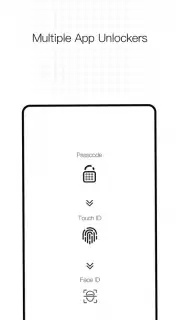


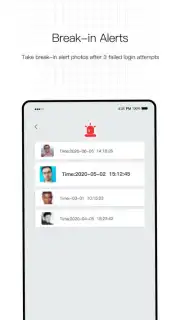
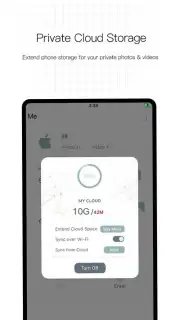
Description Magic Photo Vault
Secure Your Private Gallery
Managing personal photos on a device shared with others or simply wanting a private space for sensitive images presents a clear security challenge. Magic Photo Vault addresses this by functioning as a standalone, encrypted gallery that operates independently from your device's main photo roll, providing a dedicated and secure environment for your private media.
Core Functionality and Tools
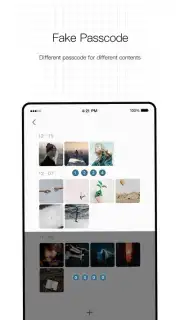
This application creates a password-protected or PIN-secured vault within your device's storage. Users can import photos and videos from their public gallery into this encrypted space, after which the original files can be securely deleted from the main storage to leave no trace. The vault supports standard image formats and organizes imported content internally. A decoy password feature provides an additional layer of privacy by showing a separate set of harmless images if a specific password is entered, helping to conceal the vault's true contents.
Operational Advantages
The primary strength of Magic Photo Vault lies in its straightforward, focused execution of its core promise. The interface is designed for direct utility, minimizing complex menus in favor of quick import and access actions. Security is handled locally on the device through the access PIN or password, without mandatory cloud synchronization, giving users direct control over their data. The app performs its encryption and file management processes efficiently, maintaining a small footprint and avoiding significant impact on device performance or battery life during standard use.
- Local Encryption & PIN Protection: Secures photos with on-device encryption accessed only via a private PIN or password.
- Stealth Mode & Decoy Password: Offers a fake gallery view with innocent images to protect the vault's true existence.
- Quick Import & Secure Deletion: Move photos into the vault and automatically erase originals from the public gallery in one action.
- No Online Account Required: Operates entirely offline; all data and security keys are stored locally on your device.
- Intuitive Media Management: Browse, view, and manage your private collection within the simple, clutter-free vault interface.
Start securing your private moments today. Download the app now to create your personal encrypted gallery.
Requires an internet connection for initial download from the app store. The core application functions offline. This product may offer optional in-app purchases for additional features.
Information
| Version | 2.1.3 |
| Developer | Xiamen Baishengtong Software Technology Co.,LTD |
| Requirements | Android Android + 6.0+ |
| Updated | 17.03.2026 |
| Size | 22.76 MB |
| Package | com.xmbst.fileencryptgg |
| Signature | 721f8286a51bc483cb558dd02396a424 |
| Architecture | armeabi-v7a, arm64-v8a |


