

Markor screenshots (6)
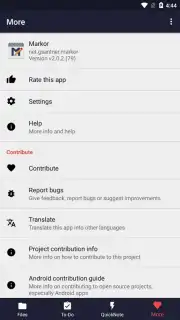
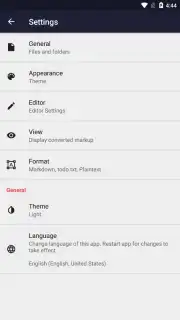
Description Markor
Your Digital Notebook, Uncomplicated and Unrestricted
Tired of note-taking apps that lock your words into proprietary formats or bombard you with distractions? Imagine a writing space that gives you pure, unadulterated control. Markor transforms your device into a powerful, open-source text editor that respects your workflow and your files. This isn't just about jotting down ideas; it's about managing documents, drafting in markup, and having your entire text-based world accessible and editable from your pocket, completely on your own terms.
Core Functionality That Adapts to You
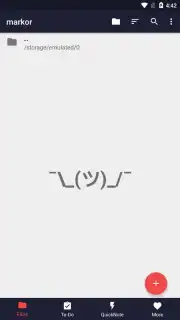
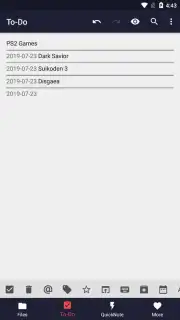
Markor operates on a principle of simplicity with profound depth. At its heart, it is a clean, offline-first editor for plain text files. You create notes, to-do lists, project drafts, or code snippets, storing everything in a straightforward, future-proof format. The true power emerges from its exceptional flexibility with file formats, acting as a universal hub for your documents. You can seamlessly open and edit a wide array of existing text files, and then, with a few taps, convert your work into other formats for sharing or archiving. Need to send a note as a PDF, publish a draft as an HTML file, or bundle several documents into a ZIP archive? Markor handles these conversions locally, putting the utility directly in your hands.
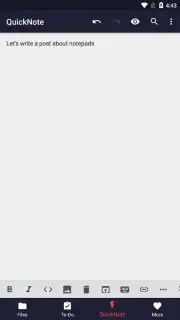
Beyond basic editing, the app supports specialized modes for different writing styles. You can compose in Markdown, enjoying live previews of your formatted text, or switch to a plain text editor for unimpeded writing. For those who need it, there is even capable support for editing HTML directly. The application's namesake feature, syntax highlighting, brings clarity to your work by color-coding elements in Markdown, HTML, and code, making documents far easier to scan and edit. Every aspect, from the editor theme to the start-up directory, is customizable, allowing you to shape the environment to your exact preferences.
- Universal File Compatibility: Open, edit, and manage a broad spectrum of text file formats without conversion headaches.
- Flexible Export & Conversion: Transform your notes and documents into PDF, HTML, or ZIP files directly within the app.
- Multi-Format Writing Modes: Write efficiently with a dedicated Markdown editor (with preview), a pure plain-text mode, or an HTML editor.
- Enhanced Readability with Syntax Highlighting: Color-coded syntax for Markdown and HTML makes your notes structured and visually clear.
- Complete Offline Operation: Create, edit, and manage all your notes without an internet connection.
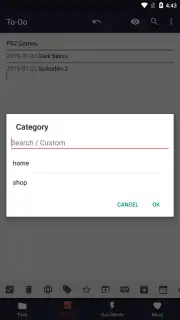
- Deep Customization: Tailor the editor's appearance, behavior, and organization to fit your personal workflow.
- Open-Source Foundation: Built on transparency and community-driven development, free from hidden costs or tracking.
You might enjoy the liberation of a tool that works exactly how you want it to. Consider downloading Markor to experience a note-taking environment defined by capability, not limitations.
Download the Markor mobile app now to claim your ultimate text workspace.
Heads up: you'll need wifi for initial app download and for any file conversion exports you choose to perform. The core editing and note-taking functions work entirely offline. The app is open-source and free; some advanced community-driven features may be in ongoing development.
Information
| Version | 2.15.2 |
| Developer | Gregor Santner |
| Requirements | Android Android + 4.3+ |
| Updated | 17.03.2026 |
| Size | 11.38 MB |
| Package | net.gsantner.markor |
| Signature | b3f26f35708540c63201e8bd71bd1d65 |
| Architecture | universal |


