


Marshall Bluetooth screenshots (7)

Description Marshall Bluetooth
Marshall Bluetooth App: A Technical Review of Remote Audio Control
The Marshall Bluetooth application functions as a dedicated remote control and audio tuning suite for compatible Marshall headphones and speakers. It shifts device management from physical buttons to a centralized smartphone interface, enabling detailed sound customization and operational control that is not accessible through the hardware alone. This review examines the app's core functionality as a bridge between user and audio device, focusing on its utility in managing the acoustic profile and practical features of supported products.
Core Functionality and Audio Customization
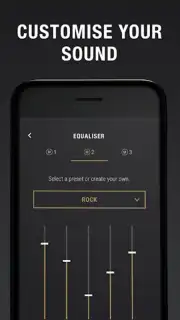
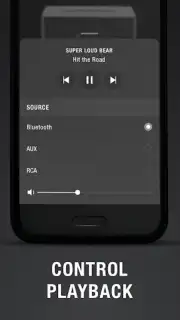
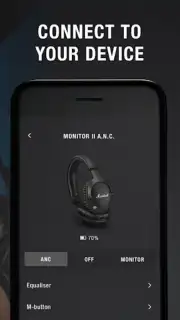
The primary utility of the application lies in its dual focus on remote management and sound personalization. Once a compatible device is paired, users gain the ability to adjust volume, monitor battery levels, and manage playback directly from their phone, often beyond the typical range of a Bluetooth connection. The more technically substantive aspect is the integrated digital signal processing. The app provides a multi-band equalizer with preset and manual adjustment options, alongside features like noise cancellation toggle and gain control. These tools allow for precise calibration of audio output, from enhancing bass response for modern genres to clarifying mids and highs for vocal or instrumental clarity, effectively tailoring the driver performance to specific content or listener preference.
Device Integration and User Interface
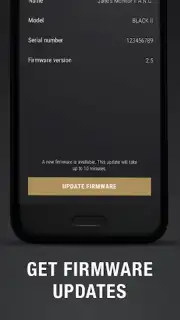
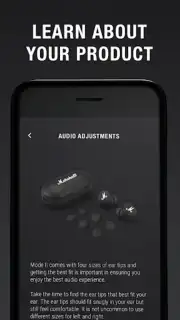
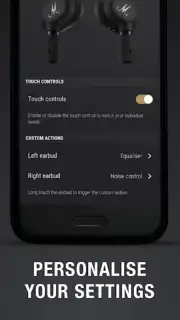
Compatibility is central to the app's design, supporting a defined range of Marshall's Bluetooth-enabled products, including major headphone and speaker lines. The connection process is standardized, and the interface prioritizes immediate access to fundamental controls like power, pairing mode, and firmware updates. The layout is structured to surface essential functions without clutter, while advanced settings are housed in dedicated menus for users who wish to engage with granular audio parameters or device-specific configurations. This layered approach accommodates both casual adjustment and in-depth system tuning.
- Precision Equalizer & Sound Profiles: Offers parametric EQ adjustments and curated presets to sculpt audio signature, from flat response to heavily boosted bass or treble.
- Extended-Range Remote Management: Control volume, playback, and device power from a distance, often through walls, beyond standard Bluetooth audio range limits.
- Device Ecosystem Unification: Serves as a single control hub for multiple compatible Marshall products, streamlining management within a unified interface.
Get your bonus of enhanced control and personalized sound by integrating this tool with your compatible Marshall audio equipment. Download the mobile app now to claim your advantage.
Disclaimer: This application requires an internet connection for initial setup and firmware updates. It is designed exclusively for use with specified Marshall Bluetooth products; functionality with non-compatible devices is not supported. The app may involve in-app purchases for additional features or content. Use of the app involves standard data transmission. Please check your device compatibility and refer to the official Marshall website for detailed specifications. Age restrictions may apply.
Information
| Version | 3.6.3 |
| Developer | Marshall Group AB |
| Requirements | Android Android + 7.0+ |
| Updated | 17.03.2026 |
| Size | 44.8 MB |
| Package | com.zoundindustries.marshallbt |
| Signature | 262c40aba42cdd7c9113651ff1994705 |
| Architecture | armeabi-v7a, arm64-v8a |


