


Meitu screenshots (14)







Description Meitu
A Comprehensive Toolkit for Modern Visual Content Creation
Meitu establishes itself not merely as another photo editor, but as a consolidated multimedia workstation for Android. It provides a systematic approach to enhancing both images and video clips, combining aesthetic filters with practical editing tools. The application's environment is built around accessibility, offering a tiered experience that caters to casual users and dedicated content creators alike. This analysis examines the mechanics of its toolset, from one-touch enhancements to granular professional controls.
Core Functionality and User Workflow
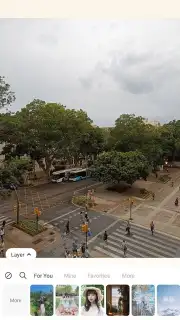
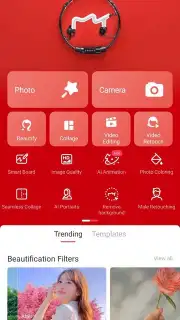
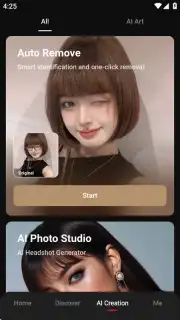
The application operates on a freemium model, granting immediate access to a substantial base toolkit without mandatory registration. A guest session allows for basic photo retouching, filter application, and simple video cuts. Creating a profile, optionally via social login, primarily serves to unlock personalized settings and sync preferences. The interface is designed for rapid iteration: skin smoothing, blemish removal, tone correction, and virtual makeup application are executed through calibrated sliders and preset intensities. A distinct advantage is the batch processing capability, where AI-driven filters can be applied uniformly across multiple images, ensuring thematic consistency for social media galleries or projects.
Subscription Tiers and Advanced Feature Sets
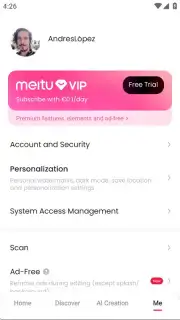
The free version is supported by advertising, which is removed upon subscribing to either VIP tier. The VIP subscription introduces domain-specific tools such as the hair color corrector, advanced beauty filters targeting facial features, and contour reshaping instruments. These tools employ layer-aware algorithms that distinguish between subjects and backgrounds. The VIP+ tier expands this library further with exclusive, one-touch artistic filters and a broader palette of AI styles. Both paid tiers enhance the video editor, adding premium transitions, a larger soundtrack library, and higher-resolution export options. This structure allows users to scale their toolkit in line with their editing complexity.
Detailed Feature Breakdown
-
Precision Photo Retouching Suite: Offers granular control over portrait editing, including independent adjustment of skin texture, eye brightness, and teeth whitening, alongside advanced tools like background blur and depth-of-field simulation for professional-grade results.
-
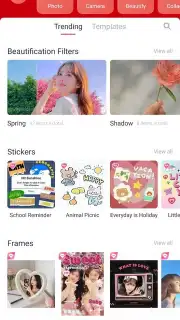
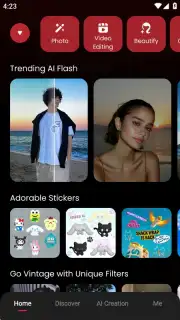
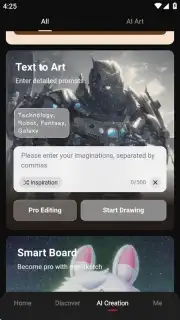
Extensive AI & Artistic Filter Library: Features a categorized collection ranging from vintage film emulations and modern art styles to dynamic AI-generated effects, with new packs added regularly to keep content visually current and engaging.
-
Integrated Multi-Track Video Editor: Provides a full editing timeline for trimming clips, inserting images, adding custom text and subtitles, syncing soundtracks, and applying beauty filters directly to video footage for a streamlined, all-in-one production workflow.
Claim Your Creative Advantage Now
Download the Meitu mobile app now to instantly access a professional-grade editing suite that transforms everyday photos and videos into polished, share-ready content. Begin creating with your enhanced visual toolkit today.
Disclaimer: This application requires an internet connection for full functionality, including access to cloud features, filter updates, and subscription management. It offers in-app purchases for VIP and VIP+ subscriptions. Please be aware of potential data usage charges. The app may collect and use data as outlined in the developer's privacy policy. It is intended for a general audience but is advised for users aged 13 and above due to social sharing features.
Information
| Version | 12.5.0 |
| Developer | Meitu, Inc. |
| Requirements | Android Android + 8.0+ |
| Updated | 17.03.2026 |
| Size | 186.65 MB |
| Package | com.mt.mtxx.mtxx |
| Signature | 8e1d5ad9ea79e1b3068afa19c8e07ebe |
| Architecture | arm64-v8a |


