


Memorigi screenshots (10)





Description Memorigi
The Problem with Modern Task Management
Most productivity tools either overwhelm you with complexity or lack the structure needed for meaningful long-term planning. This leaves daily obligations scattered and personal growth goals perpetually on the backburner. Memorigi, developed by Randy Saborio, presents a distinct solution by merging immediate task tracking with strategic life management into a single, coherent system. It moves beyond simple checklists to function as a central hub for both your professional deadlines and personal development aspirations, all framed within an interface that prioritizes clarity over clutter.
A Closer Look at Functionality and Design
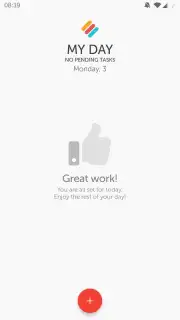
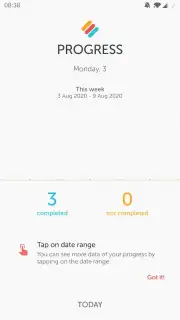
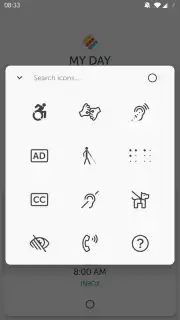
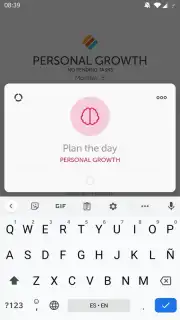
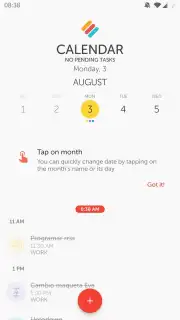
The core experience begins on the main tab, where adding a task or habit is initiated by a simple tap. This action opens a detailed creation panel where you can define a title, attach extensive notes, and set precise date and time parameters. Crucially, each entry can be instantly linked to a customizable category and assigned a specific color and icon for visual sorting. This granular level of organization is foundational, but the application’s depth is revealed when you explore its categorization system. Tapping the Memorigi icon reveals a structured view of task types—such as Books to Read, Personal Growth, Ideas, Work, and Health—effectively segmenting your life’s domains. This architecture allows you to cultivate professional discipline while systematically building healthy habits, with the app providing progress tracking based on completed tasks to offer tangible satisfaction and momentum. The design philosophy avoids decorative excess, focusing instead on a functional elegance that makes navigating between daily chores and long-term projects intuitively simple.
Key Features and Capabilities
- Create tasks and habits instantly from the main screen with a single tap.
- Attach detailed notes and set exact deadlines for each entry you create.
- Visually organize items using custom colors, icons, and dedicated categories.
- Structure goals across life domains like work, health, and personal growth.
- Track your productivity progress with built-in completion analytics and insights.
The absence of advertising creates an uninterrupted workflow, a benefit enhanced by the optional Turbo subscription, which unlocks advanced features for a more powerful experience. Ultimately, Memorigi distinguishes itself by providing a clear path through daily obligations without losing sight of broader ambitions, ensuring you stay on course with a tool that is as stylish as it is substantive.
Download Memorigi Now – Exclusive early access to its streamlined productivity system is available for a limited time to new users. Install the app today to transform how you manage time.
This application requires an internet connection for certain features and may offer in-app purchases.
Information
| Version | 7.6.0 |
| Developer | Randy Saborio |
| Requirements | Android Android + 8.0+ |
| Updated | 17.03.2026 |
| Size | 10.74 MB |
| Package | io.tinbits.memorigi |
| Signature | bdbdf22e87c89ac7d72e9eb9c95fbe3f |
| Architecture | armeabi-v7a, arm64-v8a |


