


Metro UI Launcher 8.1 screenshots (14)
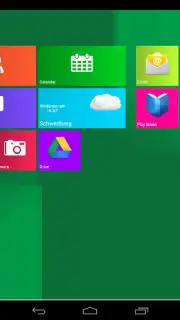
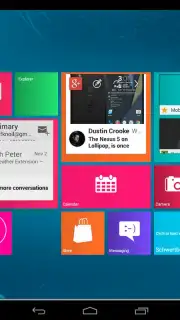
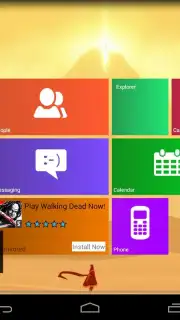
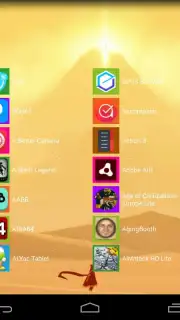
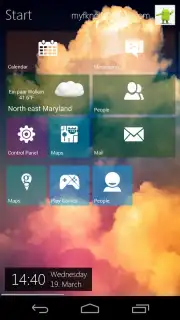
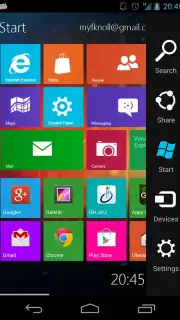
Description Metro UI Launcher 8.1
Transform Your Android Into a Windows Powerhouse
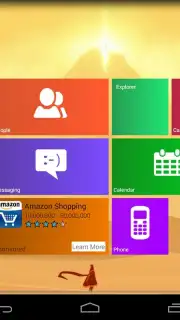
Tired of the same old grid of icons? Imagine unlocking the sleek, modern, and incredibly efficient look of Windows 8 right on your Android phone. That’s exactly what Metro UI Launcher 8.1 delivers—a complete visual overhaul that doesn’t just change backgrounds, it redefines your entire mobile experience. This isn't a simple theme; it's a powerful launcher that puts the iconic Live Tiles and streamlined Metro interface at your fingertips, making your device feel faster, more organized, and uniquely yours from the moment you set it up.
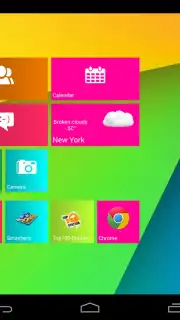
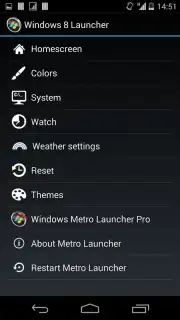
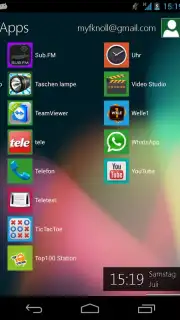
You’ll be greeted by a dynamic start screen that feels both familiar and excitingly new. The launcher intelligently places applications with the distinctive Windows-style tiles, creating an interface that’s practically a mirror image of the desktop OS you know and love. But the real magic lies in the profound depth of customization waiting for you. Dive into the settings and take absolute control: tweak tile colors for a perfect palette, adjust fonts for better readability, reconfigure the number of columns for density, and rearrange every element until your home screen reflects your personal workflow and style. You can even personalize the top corner with your name and avatar, adding that final touch of ownership.
The free version lets you explore every single one of these powerful features risk-free, giving you a full 15 minutes to experiment and build your perfect layout. To make your custom creation permanent and unlock uninterrupted, ad-free use, the app offers a seamless upgrade. This ensures your meticulously designed interface stays exactly as you left it, transforming your phone into a consistently stunning and highly personal productivity hub.
- Complete Metro Interface Transformation: Instantly replaces your standard home screen with the authentic, tile-based Windows 8 layout and feel.
- Deep Visual Customization Suite: Personally adjust tile colors, fonts, grid columns, and the placement of every on-screen element.
- Personalized User Profile Display: See your chosen name and avatar prominently featured on the home screen for a truly owned experience.
Don't just customize your phone—redefine it. Step into a world of elegant design and fluid organization that makes every interaction a pleasure. This is your chance to break free from the ordinary.
Download Metro UI Launcher 8.1 now and give your Android the Windows makeover it deserves!
Requires an internet connection for initial download. The app may offer in-app purchases for the full, ad-free premium experience.
Information
| Version | 3.0.0.788 |
| Developer | Mobile Software Solutions Knol |
| Requirements | Android Android + 5.0+ |
| Updated | 17.03.2026 |
| Size | 16.39 MB |
| Package | com.myfknoll.win8.launcher |
| Signature | e21823a7c800c461eeb01da2c09312ff |
| Architecture | armeabi-v7a, x86, arm64-v8a, x86_64 |




