

Mi Canvas screenshots (4)
Description Mi Canvas
Transform Your Xiaomi Pad Into a Masterpiece Studio
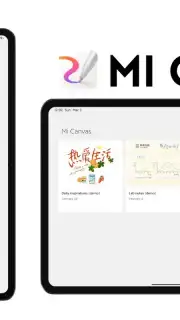
Imagine unlocking the full creative potential of your Xiaomi Pad, turning its screen into a boundless digital canvas ready for any idea. Mi Canvas is the dedicated design application that makes this a reality, providing a professional-grade toolkit for sketching, illustrating, and visual note-taking directly on your tablet. This app redefines what you can achieve with a stylus in hand, moving beyond basic drawing to offer a structured, intuitive environment for both artistic projects and practical everyday tasks.
A Comprehensive Toolkit for Digital Creation
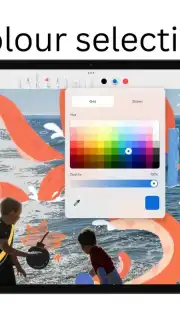
Upon launching Mi Canvas, you encounter a clean, perfectly structured interface designed for focus and flow. The app grants you access to dozens of virtual brushes and drawing materials, each simulating real-world textures and behaviors to give your digital artwork a tangible feel. When paired with a compatible Smart Pen, the app fully leverages its pressure sensitivity, allowing you to control line weight and opacity with natural hand movements for stunningly detailed illustrations. Adjusting colors, layering elements, and switching between tools is seamless, ensuring your creative process is never interrupted by a cumbersome interface.
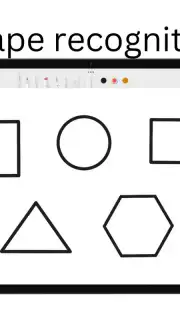
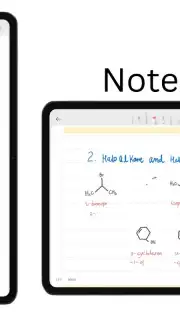
The functionality extends far beyond drawing. Mi Canvas serves as a powerful note-taking hub, integrating various fonts and customizable writing settings. You can jot down meeting minutes, sketch diagrams for a project, or compose stylish visual notes, all without needing physical pen and paper. The app provides multiple format options for sharing these notes effortlessly when collaboration or distribution is required. A significant time-saving component is the integration of AI-powered creative functions. Features like automatic shape recognition and line assistance help you quickly draft precise elements, streamlining the initial stages of creation so you can focus on refining your vision.
- Dozens of realistic brushes and tools
- Full Smart Pen pressure sensitivity support
- Advanced AI shape and line assistance
- Versatile note-taking with multiple fonts
Optimized Performance for Uninterrupted Work
The experience is enhanced by the Turbo mode, which ensures smooth, lag-free performance even with complex projects. This optimization means you can work with multiple layers and high-resolution canvases without experiencing slowdowns. Furthermore, the application environment is completely free of advertisements, allowing for total immersion in your work without disruptive pop-ups or banners. You can customize the interface layout to suit your specific workflow, exploring the depth of options available to execute artistic projects with maximum precision and control.
Consider downloading Mi Canvas to fundamentally change how you interact with your Xiaomi Pad. This app bridges the gap between a simple tablet and a professional creative studio, offering all the necessary tools for both serious artists and those who simply want to organize their thoughts visually.
Download the Mi Canvas mobile app now to begin your creative journey.
Disclaimer: This application requires an internet connection for initial download and potential updates. The app is free to use; please check your device's app store for any specific age restrictions or in-app purchase disclosures. Data usage may apply depending on sync and sharing features. Compatible with specific Xiaomi Pad models and stylus peripherals; functionality may vary.
Information
| Version | 3.1.0 |
| Developer | Xiaomi |
| Requirements | Android Android + 12+ |
| Updated | 17.03.2026 |
| Size | 92.44 MB |
| Package | com.miui.creation |
| Signature | 701478a1e3b4b7e3978ea69469410f13 |
| Architecture | armeabi, armeabi-v7a, x86, arm64-v8a, x86_64 |


