


Microsoft Family Safety screenshots (8)






Description Microsoft Family Safety
Keep Your Family Connected and Safe in a Digital World
Navigating the digital landscape with children can feel like an endless balancing act. You want to give them the freedom to explore, learn, and connect, but the constant worry about screen time, inappropriate content, and online safety is always there. It’s a challenge to foster healthy habits without resorting to constant conflict or feeling completely out of the loop. What if you could create a supportive digital environment that guides them, rather than just restricts them?
Microsoft Family Safety steps in as that essential bridge, transforming how you manage your family’s digital life. This isn't just a basic screen time limiter; it's a comprehensive toolkit designed to keep your family connected while empowering you to help your children build positive, sustainable habits with technology. The application provides clear oversight and customizable boundaries, giving you peace of mind and your kids the structure they need to thrive online and offline.
Core Features for Modern Parenting
The platform operates by allowing you to create individual profiles for each child, tailoring the experience to their age and your family's values. This personalized approach means the rules and insights are relevant for every member of your household.
You gain the ability to set specific time allowances for apps and games directly on their devices. This means you can encourage educational apps while ensuring leisure time on games or social media has a healthy limit. These same sensible limits extend seamlessly to the living room, allowing you to manage playtime on Xbox Live consoles to prevent marathon gaming sessions.
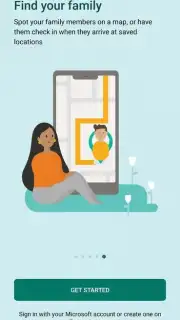
Location sharing becomes a simple tool for reassurance, not intrusion. When permissions are granted, you can view your family members' locations on a map within the app, making it easy to coordinate pickups or simply know they arrived at a friend's house safely. The focus is on connection and convenience.
Beyond daily limits, the tool offers deeper content filters and spending controls for a holistic safety net. You can filter the web to block adult content, manage which apps they can download, and even review their search activity to understand their interests and guide them appropriately. For older children with their own devices, you can set spending limits in the Microsoft Store to prevent unexpected purchases.
What You Can Achieve with Microsoft Family Safety
- Establish Customized Screen Time Schedules: Define daily or weekly screen time budgets for specific apps, games, and even entire device categories, promoting a balanced routine.
- Manage Gaming Consoles Remotely: Set time limits for Xbox One and Xbox Series X|S consoles directly from your phone, ensuring gaming remains a fun part of life, not the entirety of it.
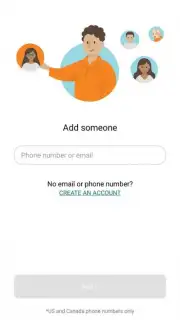
- Enable Peace-of-Mind Location Sharing: Create a private circle where consented family members can share their real-time location on a map, simplifying logistics and adding a layer of security.
- Filter Web and App Content: Apply age-appropriate filters to web browsing in Microsoft Edge and control which apps and games are permissible for download and use.
- Monitor Digital Activity and Spending: Gain insights into your children's app usage, search history, and online time, and set purchase approval requirements or spending caps in digital stores.
- Create a Unified Family Hub: Bring everyone together under one digital roof, making it straightforward to manage settings, check in, and communicate about household digital rules.
This suite of features moves beyond simple control. It provides you with the information and tools to have informed conversations about digital wellness, helping your children develop the critical thinking and self-regulation skills they need for a lifetime of healthy tech use. You’re not just setting a timer; you’re guiding them toward becoming responsible digital citizens.
Download Microsoft Family Safety Now
Stop feeling anxious about screen time and online safety. Take proactive control and turn your family's digital experience into an opportunity for growth and connection. This is your exclusive access to a more harmonious home life in the digital age.
Download the Microsoft Family Safety mobile app today and start building healthier digital habits with your family.
Disclaimer: This application requires an internet connection for full functionality, including location sharing and sync across devices. Some advanced features may require a Microsoft 365 Family or Personal subscription. In-app purchases are not applicable for the core safety features.
Information
| Version | 2.0.5.1103 |
| Developer | Microsoft Corporation |
| Requirements | Android Android + 9+ |
| Updated | 17.03.2026 |
| Size | 37.6 MB |
| Package | com.microsoft.familysafety |
| Signature | d7fd0e178bdfd491e8edcc880288b176 |
| Architecture | arm64-v8a |


