

Microsoft Launcher Preview screenshots (8)

Description Microsoft Launcher Preview
Your phone's home screen is a static grid of icons, a digital workspace that hasn't evolved in years. You switch between apps, search for information, and manage your day across a dozen different services, wasting precious time on simple tasks. What if your device's entire interface could learn your habits, anticipate your needs, and connect your digital life seamlessly?
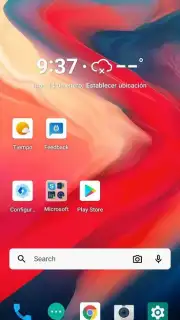
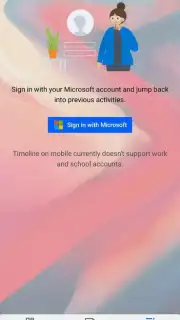
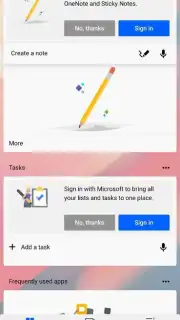
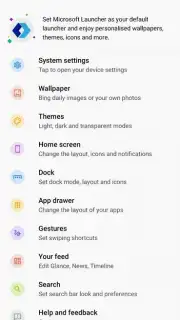
Microsoft Launcher Preview transforms your Android home screen into a personalized productivity hub. It replaces your standard launcher with a dynamic, feed-powered interface that integrates your calendar, documents, notes, and recent activities into a single, glanceable view. The launcher syncs deeply with your Microsoft ecosystem, allowing you to access recent files from OneDrive, see upcoming meetings from Outlook, and view your Sticky Notes without opening a single app. You can fully customize the layout, icon packs, and dock, applying a consistent aesthetic across your device. Its powerful search function scans across your device, apps, and the web to find contacts, files, or information instantly. The preview version offers early access to the latest features, focusing on performance tuning and user-driven improvements before a stable public release.
Core Functionality & Tools
The application provides a suite of tools designed to streamline device interaction and information retrieval.
- Personalized Feed: A left-most screen aggregates news, calendar events, recent documents, and sticky notes in a continuously updating stream.
- Cross-Device Continuity: Start a task on your PC and see relevant files and web links suggested on your phone's feed for quick access.
- Unified Search: A single search bar queries installed apps, contacts, device files, web results, and your Microsoft 365 cloud content.
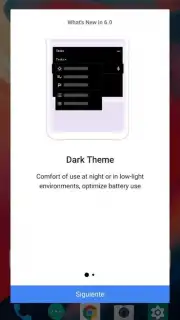
- Customizable Canvas: Apply icon packs, adjust grid size, customize gesture controls, and theme the dock and app drawer extensively.
- Performance Dashboard: Monitor device battery life and data usage directly from the feed with management shortcuts.
Key Technical Advantages
The launcher emphasizes a cohesive user experience through deep integration and responsive design.
- Ecosystem Integration: Direct surface-level access to Microsoft To Do, Outlook Calendar, OneDrive, and Office documents reduces app-switching overhead.
- Adaptive Interface: The feed and suggestions algorithmically prioritize information based on your time of day, location, and usage patterns.
- Smooth Performance: Built with a focus on rendering efficiency and low memory footprint to maintain system responsiveness.
- Granular Control: Offers extensive theming options and gesture mappings not typically available in stock launchers.
We suggest trying Microsoft Launcher Preview to experience a more connected and intelligent Android interface.
Download Microsoft Launcher Preview now.
Disclaimer: This application requires an internet connection for full functionality, including feed updates and cloud services integration. It may offer in-app purchases for premium icon packs or themes. Use is subject to Microsoft Services Agreement and Privacy Policy. Data usage applies for syncing and feed content. This is a preview version; stability may vary. Compatible with Android 5.0 and above.
Information
| Version | 6.2.200703.79830 |
| Developer | Microsoft Corporation |
| Requirements | Android Android + 5.0+ |
| Updated | 17.03.2026 |
| Size | 33.51 MB |
| Package | com.microsoft.launcher.zan |
| Signature | b1725dd41376da902e490c630604ddc2 |
| Architecture | armeabi-v7a, arm64-v8a |


