

Microsoft Lens screenshots (6)
Description Microsoft Lens
Turn Your Phone into a Document Scanner
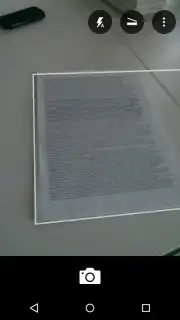
Imagine needing to capture information from a whiteboard after a meeting or digitizing a stack of handwritten notes. Instead of taking a blurry, skewed photo that you’ll struggle to read later, your phone can instantly transform into a powerful scanner. Microsoft Lens is the official mobile tool from Microsoft Office designed to do exactly that. You point your camera at any printed or handwritten text, and the app delivers a crisp, clean, and perfectly readable image. It’s about eliminating the friction between physical information and digital productivity, putting a professional scanner directly in your pocket.
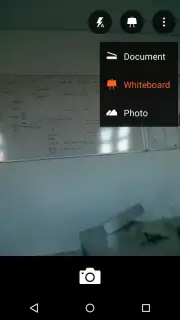
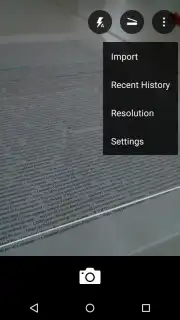
The experience is designed for immediate use. Upon launching the app, your Android camera activates automatically, ready to capture. A simple tap lets you select the optimal mode for your task. Choose ‘Document’ mode when you need to scan papers, forms, or book pages; the app intelligently crops the edges and enhances colors for a flat, vibrant result. Switch to ‘Whiteboard’ mode when capturing presentations or brainstorming sessions; here, the technology works to remove distracting glare and shadows, isolating the content clearly against the background. This isn't just a camera—it's an intelligent image processor that understands context.
Once your scan is perfected, the real utility begins. You are not limited to just saving a picture. You can seamlessly export your captured content directly into your Microsoft ecosystem, saving scans to OneNote for organized notes, or to OneDrive for cloud backup and access from any device. For local storage, saving directly to your device is always an option. More impressively, you can convert the image into fully editable file formats. Transform a scanned document into a Word (.docx) file to edit the text, into a PowerPoint (.pptx) to use the content in a presentation, or into a searchable PDF (.pdf) for easy sharing and archiving.
Microsoft Lens effectively becomes your digital filing cabinet. Whether it's a fragile sticky note, a textbook page, or a massive whiteboard covered in ideas, you can preserve all that information in a structured, usable digital form. It consolidates your important documents, notes, and references into your device's memory, making them searchable and secure.
- Smart Document & Whiteboard Modes
- Export to Word, PDF, or PowerPoint
- Direct Save to OneDrive & OneNote
- Enhances Text Clarity Automatically
You should download Microsoft Lens now to replace your ordinary camera with a productivity powerhouse. Stop losing information to poor photos and start building a reliable digital archive of everything important.
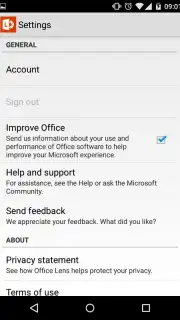
Heads up: you'll need wifi for most cloud sync and export features. Some advanced editing and conversion options may require a connected Microsoft 365 subscription.
Information
| Version | 16.0.19628.20008 |
| Developer | Microsoft Corporation |
| Requirements | Android Android + 7.0+ |
| Updated | 17.03.2026 |
| Size | 57.28 MB |
| Package | com.microsoft.office.officelens |
| Signature | 03aef1b47a462db1501f2ab11b6843b0 |
| Architecture | armeabi-v7a |


