


Microsoft Outlook screenshots (14)


Description Microsoft Outlook
A Unified Hub for Modern Communication
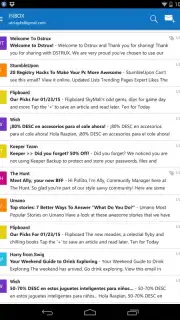
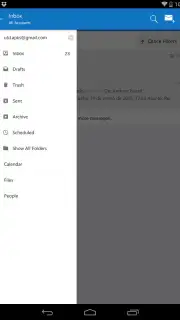
In the landscape of digital productivity, managing disparate streams of information—email, schedules, contacts, and files—often requires juggling multiple applications. The Microsoft Outlook mobile app addresses this fragmentation by consolidating these core functions into a single, integrated platform. As the official Android client from Microsoft Corporation, this tool is engineered not merely as an email reader but as a centralized command center for both professional and personal organization. Its design philosophy centers on reducing application switching and cognitive load, aiming to create a more streamlined workflow directly from a mobile device.
Core Functional Analysis
Centralized Multi-Account Management
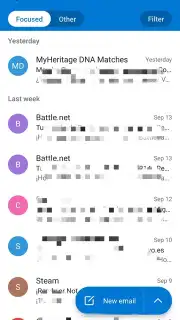
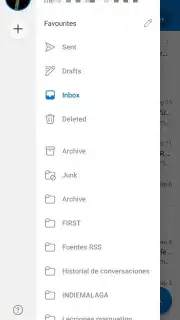
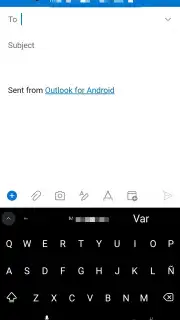
The application’s architecture is built around the principle of aggregation. It supports the simultaneous management of multiple email accounts from various providers, including Outlook.com, Gmail, Yahoo Mail, and other IMAP or POP3 services. This eliminates the need to install separate clients for each account. A focused inbox feature automatically categorizes incoming messages into "Focused" and "Other" tabs, using algorithmic sorting to surface high-priority communications. This initial filtration step is designed to optimize the time spent triaging a crowded inbox.
Integrated Calendar and Scheduling System
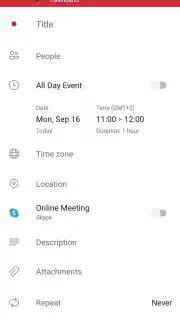
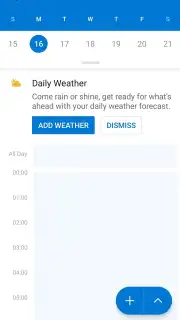
Beyond email, the app incorporates a full-featured calendar that syncs with external services like Google Calendar. Events can be created and viewed directly from the mailbox interface. A notable functionality is its scheduling assistant, which analyzes the availability of attendees to propose optimal meeting times, simplifying the coordination process. This deep integration means calendar invitations received via email can be accepted and managed without leaving the application environment.
Adaptive and Configurable User Interface
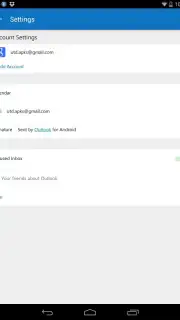
The interface employs a customizable layout, allowing users to tailor the order of their inbox, apply color-coded themes, and enable a system-wide dark mode. Gesture controls can be configured for rapid actions, such as swiping to archive or delete messages. This level of customization facilitates an adaptive user experience that can be personalized to individual workflow preferences, aiming to increase navigation speed and reduce friction.
Intelligent Search and Advanced Filtering
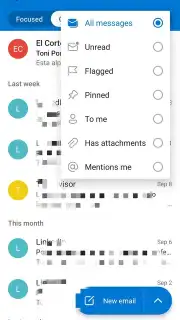
A powerful search engine is embedded within the app, capable of indexing emails, contacts, calendar events, and file attachments. It provides real-time, predictive suggestions as you type, based on historical usage patterns and frequent contacts. Search results can be further refined using filters for sender, date, or specific folder, a critical tool for efficiently locating information within large, accumulated mail archives.
Security Infrastructure and Spam Protection
Leveraging Microsoft's enterprise-grade security protocols, the app implements advanced filters to identify and quarantine phishing attempts, spam, and malware. Suspect emails are automatically diverted to a dedicated junk folder. The underlying security framework includes support for modern standards like two-factor authentication (2FA) and data encryption, aiming to protect user data and communication integrity.
Cross-Platform Integration and Collaboration
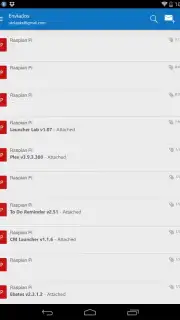
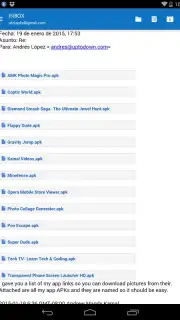
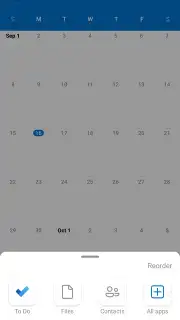
Seamless interoperability with the broader Microsoft 365 ecosystem is a foundational feature. Users can open, edit, and save attachments directly in linked applications like Word, Excel, and PowerPoint. Integration with OneDrive cloud storage facilitates attaching large files from the cloud and sharing documents via email links. Furthermore, collaboration is enhanced through direct access to Microsoft Teams and Skype for instant messaging, voice, or video calls from within the app interface, centralizing team communication channels.
Smart Notifications and Priority Control
Notification management is granular, allowing users to set custom alerts only for emails from specific senders or flagged as high priority. This system is designed to minimize disruptive alerts from non-essential correspondence. Similarly, calendar reminders and event alerts can be configured to ensure critical schedule items are not overlooked, contributing to better time management.
Offline Functionality and Synchronization
The app provides full offline capability, allowing users to read, compose, and organize emails without an active internet connection. All actions performed offline are queued and automatically synchronized across all connected accounts once a network connection is re-established. This feature is particularly relevant for users who travel frequently or operate in areas with intermittent connectivity.
- Consolidates multiple email accounts from various providers into one unified inbox.
- Features an integrated calendar with a smart scheduling assistant for proposing meeting times.
- Offers a highly customizable interface with configurable gestures and theme options.
- Includes a powerful, predictive search engine with advanced filtering capabilities.
- Provides robust security with automatic spam filtering and support for two-factor authentication.
We suggest trying Microsoft Outlook for a consolidated approach to email, scheduling, and collaboration. Consider downloading the app to centralize your communication and productivity tools.
Download the Microsoft Outlook mobile app now.
This application requires an internet connection for full functionality and synchronization. It may offer in-app purchases or integrations with paid Microsoft 365 subscription services.
Information
| Version | 5.2609.1 |
| Developer | Microsoft Corporation |
| Requirements | Android Android + 10+ |
| Updated | 17.03.2026 |
| Size | 115.78 MB |
| Package | com.microsoft.office.outlook |
| Signature | 03aef1b47a462db1501f2ab11b6843b0 |
| Architecture | arm64-v8a |


