


Microsoft Translator screenshots (8)



Description Microsoft Translator
Imagine you're in a bustling market abroad, trying to ask for directions, or in a business meeting where every word counts. The language barrier feels solid—until you open your phone and start speaking. Microsoft Translator transforms your Android device into a real-time, personal interpreter, instantly converting your spoken words into clear text and voice output in over 50 languages. It’s not just an app; it’s your bridge to the world.
Seamless Real-Time Voice Translation
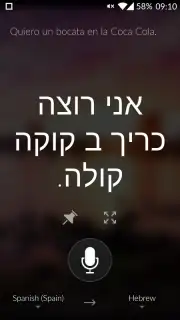
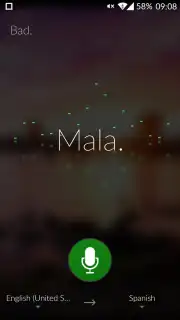
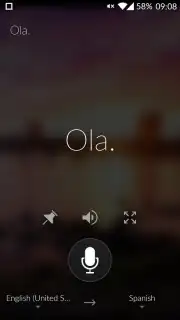
The core functionality is engineered for speed and simplicity. Tap the prominent microphone button, speak naturally in your native language, and watch as advanced voice recognition processes your speech in seconds. The translation appears on-screen immediately and can be spoken aloud by the app’s synthesized voice, facilitating true two-way conversations. This hands-free operation is perfect for dynamic situations like travel, customer service, or helping a non-native speaker.
Advanced Tools for Learning and Retention
Beyond instant translation, the app includes powerful tools for practical use and learning. You can convert any translation into a shareable flashcard, ideal for teaching a phrase to someone you’re communicating with. A robust favorites system allows you to save crucial translations—like key questions or addresses—into a personalized library for instant future access, eliminating the need to repeat translations for common needs.
Optimized for a Global Experience
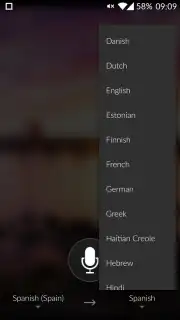
Designed with the global user in mind, the interface puts you in full control. The source language selector is conveniently located in the bottom-left corner, while the target language is chosen from the bottom-right, making switches intuitive even mid-conversation. Furthermore, the application is specifically optimized for Android Wear, bringing discreet, glanceable translations directly to your wrist for the ultimate in portable convenience.
- Translate spoken words in real-time to and from over 50 global languages instantly.
- Generate shareable flashcard from any translation to teach phrases during conversations.
- Save important translations to a personalized favorites list for quick future access.
- Enjoy a clean, ad-free experience with intuitive source and target language selectors.
- Use seamlessly with Android Wear for discreet, on-wrist translation access.
Don't let a single word get lost in translation. Make every conversation possible, anywhere in the world. Download Microsoft Translator now and speak to anyone, instantly!
Internet required. IAP available.
Information
| Version | 25.7.1.0 g380ea306 380ea306 (2518404) |
| Developer | Microsoft Corporation |
| Requirements | Android Android + 10+ |
| Updated | 17.03.2026 |
| Size | 55.63 MB |
| Package | com.microsoft.translator |
| Signature | 46737cab204d5a0e160f7c2c70c339d4,bc7de72f3fe2e0645233efb9917c6bcd |
| Architecture | armeabi-v7a, x86, arm64-v8a, x86_64 |





