

Mindjet Maps screenshots (2)
Description Mindjet Maps
Your Ideas, Mapped Out
Every project starts as a collection of thoughts—goals, tasks, random inspirations. Mindjet Maps transforms that mental clutter into a clear, visual structure. It’s the tool that bridges the gap between a fleeting idea and an actionable plan, turning abstract concepts into organized, manageable maps right on your Android device.
Core Functionality and Tools
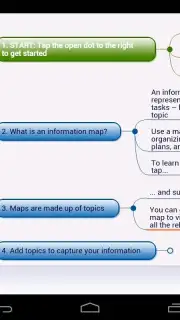
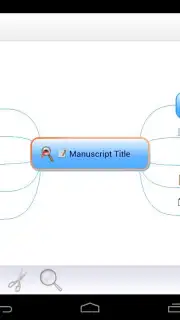
Mindjet Maps provides a digital canvas for visual thinking and project planning. The central mechanic is the creation of dynamic mind maps, where a core topic is placed at the center and connected branches are used to develop related ideas, tasks, and data. The app functions as a comprehensive workspace, allowing you to drag and drop elements, attach files and web links directly to map nodes, and apply different colors and icons for instant visual categorization. You can switch between the free-form map view and an outline view that lists all your nodes in a linear, hierarchical format, enabling you to structure information in the way that best suits your current thinking process.
Key Advantages for Planning and Productivity
The application is built for clarity and efficiency. The user interface is designed to keep the focus on your content, with intuitive touch gestures for zooming, panning, and editing your maps seamlessly. Visual customization is a significant strength, offering a range of themes, styles, and formatting options to make complex information easily digestible at a glance. For performance, the app ensures smooth operation even with extensive, detailed maps, and provides reliable sync capabilities to access and edit your plans across different devices, keeping your workflow uninterrupted.
- Visual Task Management: Build project plans with drag-and-drop tasks, deadlines, and priority icons directly linked to map branches.
- Integrated Document Hub: Attach files, images, notes, and hyperlinks to any node, centralizing all project resources in one visual space.
- Flexible Viewing Modes: Seamlessly switch between a radial mind map for brainstorming and a structured outline for linear editing and review.
Consider downloading Mindjet Maps to structure your projects and clarify your thinking with a powerful visual tool.
Heads up: you'll need wifi for initial sync and cloud features. Some advanced templates and integration options are extra.
Information
| Version | 4.1 |
| Developer | Mindjet |
| Requirements | Android Android + 4.0.3, 4.0.4+ |
| Updated | 17.03.2026 |
| Size | 15.78 MB |
| Package | net.thinkingspace |
| Signature | 8a52af26264f0b43dc33293f891bed04 |


