


MiniPhone Launcher screenshots (8)
Description MiniPhone Launcher
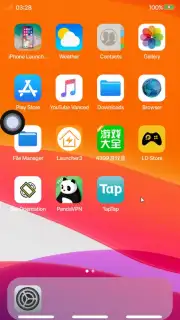
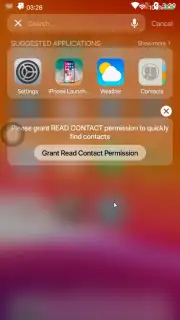
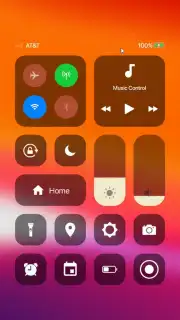
What if you could experience the precise, polished interface of a modern iPhone on your Android device, without compromising its underlying functionality? MiniPhone Launcher performs this specific transformation, meticulously replicating the visual language and interactive mechanics of iOS, starting from the iPhone X and newer models, on the Android platform. This is not a superficial skin but a comprehensive launcher environment that rebuilds your home screen, app drawer, and system navigation from the ground up to mirror Apple's design ethos, while thoughtfully integrating Android's inherent flexibility for a hybrid user experience.
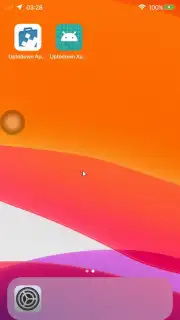
Upon initial launch, the customization process begins with selecting your wallpaper. The app provides direct access to a library of default iOS 12 wallpapers, ensuring visual authenticity from the first moment. Once applied, the launcher initializes: the distinctive iOS dock slides up smoothly from the bottom of the screen, and all application icons are automatically conformed to the uniform circular shape synonymous with iOS. The transition is immediate and complete, effectively masking the Android operating system's native appearance.
Core Functionality and Advanced Customization
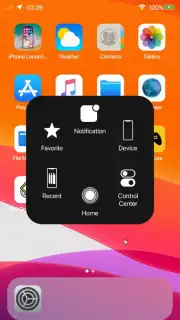
Beyond the initial visual clone, MiniPhone Launcher offers a substantial settings panel for granular control. Here, you can adjust the grid density by modifying icon size and the number of icons per row and column, allowing for a layout that balances density and readability. The launcher extends its mimicry to navigation by supporting iOS-style gesture controls. A persistent virtual menu button can also be enabled, providing an always-accessible navigation hub that floats above other content. A significant operational advantage is the ad-free experience, a feature often unlocked via the app's Turbo mode, which removes promotional content and potentially enhances performance for uninterrupted use.
A standout feature for privacy is the integrated application locker. This tool allows you to select specific apps—such as your gallery, messaging applications, or notes—and secure them behind a pattern lock screen. This means any user of your device must draw the correct unlock pattern to access these protected applications, adding a crucial layer of personal security directly within the launcher's ecosystem, a function that goes beyond simple aesthetics.
- Authentic iOS Interface: Faithfully replicates the home screen, dock, and circular iconography of iPhone X and later iOS versions.
- Deep Visual Customization: Offers official iOS wallpapers and adjustable icon grid layouts for personalized density.
- Enhanced Navigation Controls: Supports iOS-inspired gesture commands alongside a configurable, always-on-screen virtual menu button.
- Integrated Privacy Protection: Features an app locker with pattern security to restrict access to sensitive applications.
- Optimized User Experience: Provides an ad-free environment through Turbo mode, focusing on smooth performance and clean interaction.
MiniPhone Launcher successfully delivers on its core promise of transforming the Android visual experience into a convincing iOS facsimile, while augmenting it with practical tools for customization and security. You might enjoy this launcher if you appreciate the iOS design philosophy but require the hardware and ecosystem flexibility of Android. Consider downloading it to seamlessly blend the two platforms.
Download MiniPhone Launcher now to begin the transformation.
Internet required. IAP available.
Information
| Version | 9.9.9 |
| Developer | SaSCorp Apps Studio |
| Requirements | Android Android + 6.0+ |
| Updated | 17.03.2026 |
| Size | 63.25 MB |
| Package | com.xos.iphonex.iphone.applelauncher |
| Signature | aec5ceb0b74a21cc22902a0f448d371d |
| Architecture | armeabi-v7a, x86, arm64-v8a, x86_64 |


