


Mobizen Screen Recorder screenshots (6)
Description Mobizen Screen Recorder
Unlock Your Android's Full Potential on the Big Screen
Ever wished you could mirror your Android phone or tablet directly onto your computer's display? Imagine controlling everything from a larger screen, managing files without cables, and creating flawless screen recordings with studio-level control. That precise capability is now at your fingertips, transforming how you interact with your mobile device for work, play, or content creation. This tool moves beyond simple mirroring to become a comprehensive desktop command center for your Android life.
A Desktop Powerhouse for Your Android Device
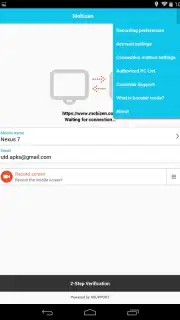
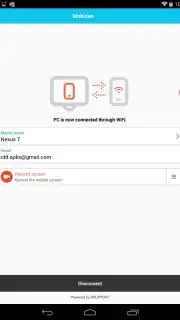
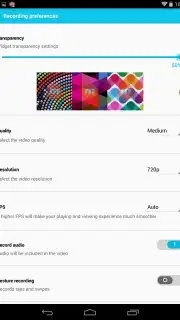
The core experience begins with a seamless, real-time connection between your Android device and your computer. You see your phone's interface live on your monitor, enabling precise control for presentations, app testing, or simply enjoying mobile games on a larger canvas. This mirroring is just the foundation. The application provides a sophisticated screen recorder built directly into your device, allowing you to capture high-definition videos. You can customize every aspect, from resolution and frame rate to bitrate, ensuring your recordings are tailored for tutorials, gameplay highlights, or software demos.
File management becomes an intuitive drag-and-drop operation between your computer and Android. View your entire photo gallery on the desktop, organize files, delete clutter, or transfer documents and media without searching for a cable. The interface is designed for immediate clarity, eliminating the need for complicated manuals. You navigate its features through a clean, logical layout that feels familiar from the first use. An enhanced mode removes all advertisements and unlocks superior connection stability and speed, streamlining the entire experience.
Key Features at a Glance
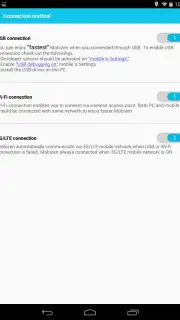
- High-Definition Screen Mirroring: Stream your Android screen to your computer in real time over a Wi-Fi or USB connection for a flawless, lag-free display.
- Advanced Screen Recording: Capture video directly on your Android device with fully customizable settings, including adjustable resolution, frame rate, and quality parameters.
- Comprehensive File Management: Access, view, organize, and transfer files between your computer and Android device through a simple desktop interface.
- Intuitive and Clean Design: Navigate a user-friendly interface that requires no prior technical knowledge or lengthy tutorials to master.
- Enhanced Performance Mode: Opt for an optimized experience that removes advertisements and provides a faster, more reliable connection for intensive tasks.
Stop juggling between devices and embrace a unified workflow. This is the definitive solution for anyone who needs to showcase, manage, or create from their Android device with desktop-grade precision.
Download Mobizen Screen Recorder now and command your Android from your computer today!
Please note: An internet connection is required for initial pairing and certain features. The application may offer optional in-app purchases for premium functionality.
Information
| Version | 3.10.17.5 |
| Developer | RSUPPORT Co., Ltd. |
| Requirements | Android Android + 6.0+ |
| Updated | 17.03.2026 |
| Size | 54.62 MB |
| Package | com.rsupport.mvagent |
| Signature | a192b50be2ca52df932150ccdf2be7a2 |
| Architecture | armeabi-v7a, x86, arm64-v8a, x86_64 |


