

Month Calendar Widget screenshots (10)
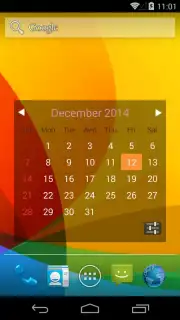
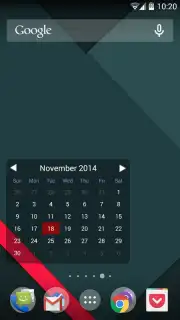
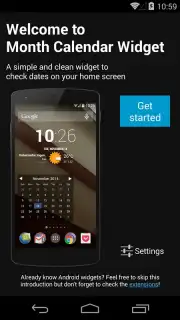
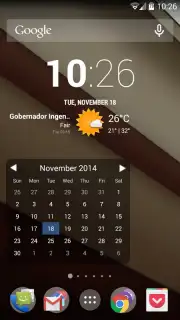
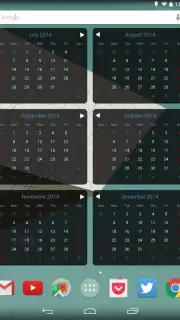
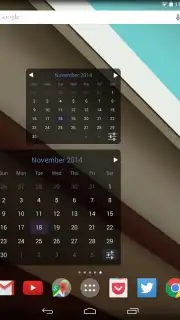
Description Month Calendar Widget
Never Miss a Date Again with a Clean, At-a-Glance Calendar
Tired of cluttered calendar apps that overwhelm your screen with notifications and complex menus? You just want to see the month, clear and simple, without opening a separate application. The struggle of juggling multiple apps for a basic date check ends now. Month Calendar Widget delivers exactly that: a streamlined, elegant monthly overview placed directly on your Android home screen, transforming how you track time at a single glance.
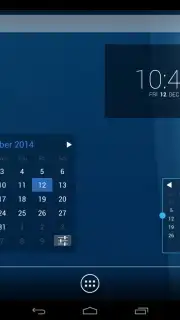
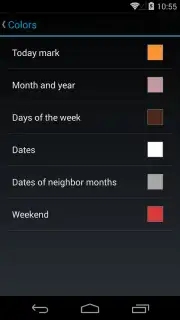
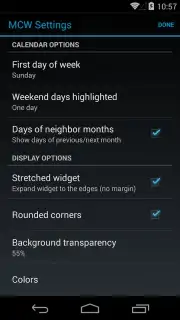
This widget is designed for clarity and customization. You get a minimalist monthly grid that integrates seamlessly with your device’s aesthetic, putting essential date tracking literally at your fingertips. The latest version 2.1.0 has been refined for even sharper visual presentation, with improved font adjustments that enhance readability so you can scan your month effortlessly. Setting it up is intuitive; you simply select the widget from your device’s widget menu and place it on your home screen. From there, you have full control to resize it to your preferred dimensions and even add multiple instances for different views or schedules.
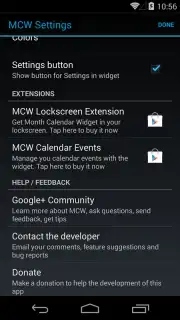
While the core widget provides a perfect static monthly view, its functionality can grow with your needs. For users seeking more, dedicated companion apps from the same developer unlock integrated event management directly within the widget view. This expandable design means you can start simple and add detailed scheduling capabilities when you need them, all while supporting ongoing service improvements. The experience is designed to be visually straightforward, highly accessible, and fully customizable, eliminating the complexity of a full-blown calendar suite.
- Customizable Home Screen Integration: Place and resize the clean monthly view widget directly on your main screen for instant access.
- Enhanced Visual Clarity & Readability: Benefit from optimized fonts and refined graphics in version 2.1.0 for a sharp, easy-to-scan calendar display.
- Expandable Event Management Features: Unlock scheduling capabilities by adding companion apps, turning the simple widget into a powerful planning tool.
Download Month Calendar Widget now and transform your home screen into a productivity hub. This limited-time offer ensures you get the sleek, ad-free calendar overview that organizes your time without clutter—exclusive access for the first users to upgrade their daily view!
Heads up: you'll need wifi for initial setup and for accessing extended features. Some cool stuff, like advanced event management, is extra through companion apps.
Information
| Version | 2.1.0 |
| Developer | José González D'Amico |
| Requirements | Android Android + 2.3, 2.3.1, 2.3.2+ |
| Updated | 17.03.2026 |
| Size | 2.07 MB |
| Package | com.josegd.monthcalwidget |
| Signature | 601f2c1cd83b4d8f4cf7108332f36515 |
| Architecture | universal |


