

MoonRemote screenshots (9)

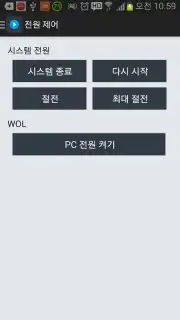
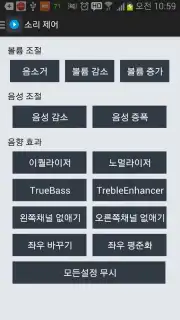
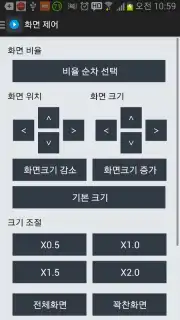
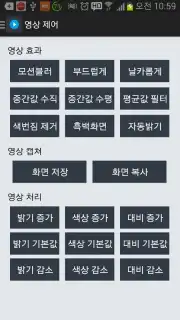
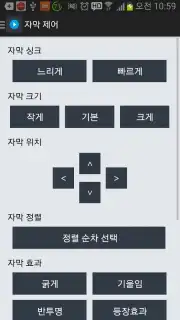
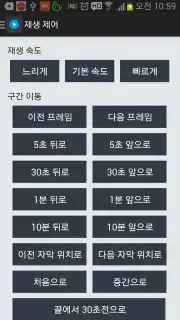
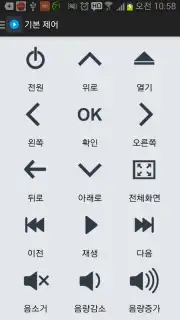
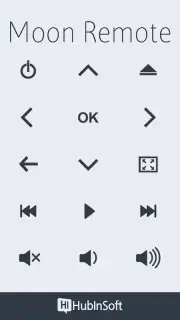
Description MoonRemote
Looking for a way to control your PC media player from across the room without needing a dedicated physical remote? MoonRemote transforms your Android device into a universal wireless controller for popular desktop media players like VLC, GOM Player, PotPlayer, and KMPlayer. It establishes a seamless connection over your local Wi-Fi network or even via a mobile data connection, including 3G and LTE, granting you full command over playback, volume, and display modes from a distance. This utility is designed for users who consume multimedia content on their computers and seek a more convenient, integrated method for remote management, eliminating the need to constantly approach the workstation.
Core Functionality and Remote Access
The application operates by creating a stable link between your mobile device and the media player software installed on your computer. Once configured, it provides a comprehensive control interface on your smartphone or tablet. You can manage all fundamental playback commands, navigate through media libraries, and adjust audio levels directly from your handset. The dual-connection capability, supporting both local Wi-Fi and remote internet access, ensures reliable operation whether your PC is on the same home network or accessed from a different location via broadband. This flexibility makes it a practical tool for presentations, home theater setups, or simply controlling music or video playback from a more comfortable position.
Detailed Feature Set
The interface is built around delivering precise control, replicating and often extending the functions of a standard hardware remote.
- Control essential playback functions: play, pause, stop, and skip to next or previous file in a playlist.
- Adjust audio output precisely with a volume slider and a dedicated mute toggle for instant silence.
- Manage playback mode by toggling fullscreen display or windowed mode on the host PC remotely.
- Connect to your PC media player through a local Wi-Fi network or remotely via the internet.
- Maintain a stable connection for reliable control, minimizing input lag or disconnection issues.
System Integration and Practical Use
MoonRemote requires a companion receiver application to be installed on the target Windows PC, which facilitates the communication bridge. The setup process is streamlined, typically involving pairing the devices through a shared code or network discovery. In daily use, the app minimizes interruption, allowing you to manage your media consumption seamlessly. It is particularly valuable in scenarios where the computer is connected to a television or projector, as it removes the dependency on a keyboard and mouse for basic media control. The absence of intrusive advertisements in its core operation ensures an uninterrupted user experience, while optional premium features may enhance functionality further.
We suggest trying MoonRemote if you regularly use supported media players on your PC and desire the convenience of a dedicated, smartphone-based remote control.
Download the MoonRemote mobile app now to centralize your media control.
Disclaimer: This application requires a persistent internet connection (Wi-Fi or mobile data) for operation and communication with the host PC software. Some advanced features or an ad-free experience may be offered via in-app purchases. The app may require permissions for network access and connectivity control. Data usage applies when operating over mobile networks. Ensure your devices are connected to compatible networks and that you have the necessary PC-side software installed.
Information
| Version | 2.0.4 |
| Developer | HubInSoft Inc. |
| Requirements | Android Android + 4.0, 4.0.1, 4.0.2+ |
| Updated | 17.03.2026 |
| Size | 354.14 KB |
| Package | com.bgptech.moonremote |
| Signature | fe771352d5a65b91610916c178c7e30b |


