

More Shortcuts screenshots (7)
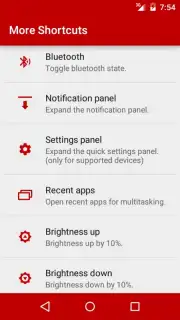
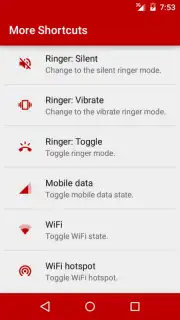
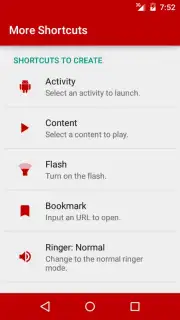
Description More Shortcuts
Streamlining Daily Routines with a Single Tap
Managing a modern home involves coordinating numerous devices, services, and routines, often requiring navigation through multiple apps. This fragmentation can turn simple tasks into time-consuming processes. More Shortcuts addresses this by functioning as a centralized automation hub, allowing users to create custom triggers that execute complex sequences of actions across their smart home ecosystem and personal device with a single interaction.
Core Functionality and Automation Tools
The application provides a visual scripting interface where users can build "shortcuts"—custom workflows that link conditions to actions. A typical workflow might begin with a specific trigger, such as a time of day, device location, or manual widget tap. This trigger then executes a chain of pre-set actions, which can range from adjusting smart thermostat settings and lighting scenes to sending predefined messages or launching other applications. The logic builder supports conditional statements, allowing for "if-this-then-that" routines that adapt to context, such as turning off all non-essential lights and devices when your phone's battery drops below a certain percentage.
Operational Advantages and User Experience
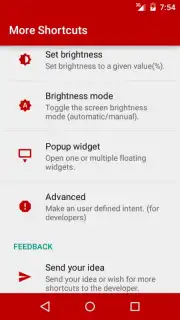
The primary advantage of More Shortcuts is the reduction of repetitive manual input, creating a more responsive and efficient living environment. The interface is designed for clarity, using drag-and-drop elements and plain-language descriptions to make automation accessible without requiring technical coding knowledge. Performance is focused on low-latency execution of created shortcuts and reliable background operation to ensure triggers activate consistently. Visually, the app employs a clean, utilitarian design that prioritizes functionality, with clear categorization of available actions and triggers.
- Centralized Macro Control: Combine actions from different apps and devices into one-tap or automated workflows.
- Custom Trigger Creation: Set routines to start based on time, location, device state, or a manual widget.
- Multi-App Action Sequences: Launch a series of commands across smart home, communication, and utility applications.
- Local and Cloud Automation: Execute shortcuts directly on your device or integrate with supported web services.
- Dynamic Conditional Logic: Build smart routines using "if," "and," or "or" conditions for context-aware automation.
We suggest trying More Shortcuts to experience a more integrated and automated management of your daily domestic and personal device tasks.
An internet connection may be required for certain cloud-based integrations and services. The app may offer optional premium features or subscriptions.
Information
| Version | 1.3.2 |
| Developer | ChYK |
| Requirements | Android Android + 4.0, 4.0.1, 4.0.2+ |
| Updated | 17.03.2026 |
| Size | 1.23 MB |
| Package | com.ss.moreshortcuts |
| Signature | afe528c6d77d6cf0047d10e3eff69bf2 |


