

Motion Stills screenshots (7)





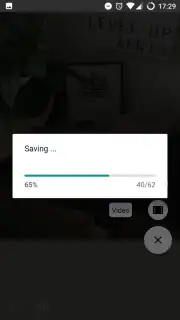

Description Motion Stills
Motion Stills Transforms Your Phone into a GIF Creation Studio
Motion Stills is a specialized imaging tool from Google that directly addresses the technical challenges of creating stable, shareable animated clips on mobile devices. It functions as a dedicated camera and processing engine, converting short video captures into seamless, looping GIF animations or stabilized video clips. The core value proposition lies in its automated stabilization and rendering algorithms, which operate in real-time to produce content optimized for digital sharing without requiring manual editing skills from the user.
Core Functionality and Operational Modes
The application operates through two distinct capture modes, each designed for a specific type of animated output. The primary "Motion Still" mode captures approximately three seconds of footage, applying a powerful stabilization algorithm that eliminates handshake and jerkiness. This results in a perfectly looped, high-quality GIF that simulates a living photograph. The secondary "Fast-Forward" mode accommodates longer recordings, up to one minute, which are compressed into time-lapse style animations. A key technical feature is the proprietary Turbo stabilization, a computational photography process that analyzes frame data to produce remarkably smooth motion even from handheld footage. All processing is performed on-device, and the final assets can be exported in standard GIF or MP4 video formats for immediate sharing across any social platform or messaging service.
The interface is designed for single-handed operation, prioritizing speed from capture to export. Users launch the app, select their mode, and hold the shutter button. There are no complex settings to adjust, as the software automatically manages stabilization, looping, and encoding.
- Real-Time Turbo Stabilization: Proprietary algorithm eliminates camera shake and jitter to produce perfectly smooth, loopable animations from handheld video.
- Dual-Mode Capture Engine: Choose between short-form Motion Stills for GIFs or Fast-Forward mode for creating condensed time-lapse videos up to a minute long.
- On-Device Processing & Export: All rendering happens locally on your Android device, with instant export to common GIF or MP4 formats for universal sharing.
- Advertising-Free User Experience: The application interface and creation process contain no advertisements or promotional interruptions.
- Streamlined Single-Step Workflow: Achieve a complete, stabilized animated clip from pressing the shutter button to sharing in under ten seconds.
Get your professional-grade animated content creator and start producing seamless, shareable GIFs and time-lapses today. Download the Motion Stills mobile app now.
A stable internet connection may be required for initial download and updates. The app is free to download and use.
Information
| Version | 2.0.190280670 |
| Developer | Google Inc. |
| Requirements | Android Android + 5.1+ |
| Updated | 17.03.2026 |
| Size | 13.07 MB |
| Package | com.google.android.apps.motionstills |
| Signature | 5950617a29a180a0cb50ee66daa3e59c |
| Architecture | armeabi-v7a |


