

Move Apps to SD Card 2017 screenshots (9)
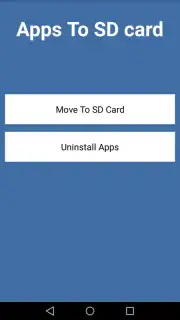
Description Move Apps to SD Card 2017
A Practical Solution for Managing Limited Phone Storage
Many users encounter a familiar frustration: a smartphone’s internal storage fills up rapidly, often due to a growing collection of installed applications. This typically forces a manual, app-by-app review process to free up space, a tedious and time-consuming task. Move Apps to SD Card 2017 by TRUST.INC addresses this specific workflow, providing a toolset designed to streamline the management of application storage locations. It functions as a utility for devices that support external storage, offering a centralized interface for operations that would otherwise require navigating individual app settings.
Core Functionality and Operational Analysis
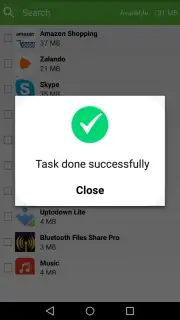
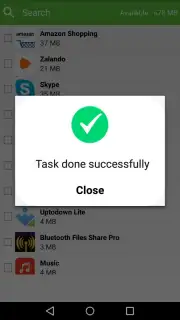
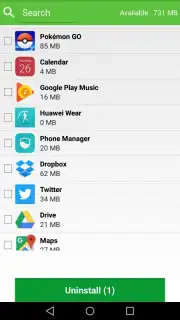
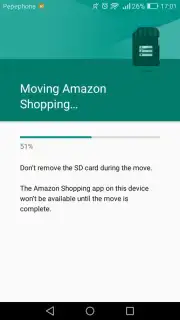
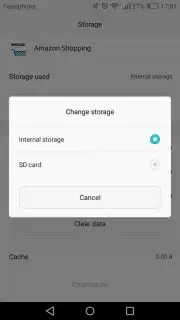
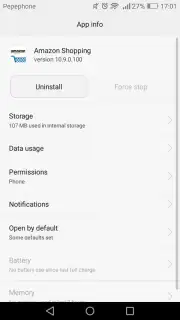
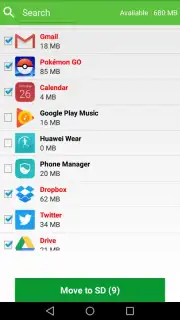
The application’s primary function is to facilitate the transfer of installed applications from a device’s internal memory to an inserted SD card. The process remains manual, as the app does not automate transfers, but it consolidates the procedure. Instead of accessing system settings for each application individually, users can select multiple apps from a unified list within the utility and initiate batch relocation. This sequential batch processing—moving one app after another from the selected queue—reduces the overall time and number of steps involved compared to the standard, fragmented method.
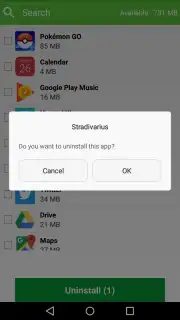
The utility also integrates a parallel management feature, allowing for the selective removal of applications directly from the same interface. This dual functionality positions it as a consolidated tool for both storage reallocation and app cleanup. It is important to note that the app’s effectiveness is contingent on device and Android version support for app migration to external media, a system-level capability the utility leverages.
- Enables batch selection and sequential transfer of multiple applications to an SD card.
- Provides a unified list view of apps eligible for storage relocation from internal memory.
- Integrates direct app uninstallation functionality within the same management interface.
- Streamlines a typically fragmented system settings process into a centralized utility.
- Designed specifically for devices with limited internal storage and expandable SD card slots.
The utility is positioned for users who actively manage storage on devices with constrained internal memory. Its value is in reducing procedural overhead, not in fully automating the Android storage management system.
Download Move Apps to SD Card 2017 now. This utility is offered with exclusive, ad-free access for the first wave of users—a limited offer to streamline your phone management today.
Heads up: you'll need wifi for most features. Some cool stuff is extra. App functionality depends on your device's Android version and hardware support for moving apps to external storage.
Information
| Version | 1.2 |
| Developer | TRUST.INC |
| Updated | 17.03.2026 |
| Size | 3.37 MB |
| Package | com.move.sdcard |
| Signature | e3320bdfa26b54eb7b365181354328cd |


