


MP3 Video Converter screenshots (7)
Description MP3 Video Converter
Your Pocket-Sized Media Studio
Imagine finding the perfect live performance video on your phone, a stunning nature clip with an incredible soundtrack, or an insightful lecture you want to listen to on the go. The only problem? It's trapped in a video file. MP3 Video Converter by Springwalk transforms this common frustration into a seamless solution, acting as your direct gateway from visual media to a pure audio library. This powerful tool doesn't just extract sound; it gives you complete control over the quality and organization of your new audio files, all from a simple, anonymous interface on your Android device.
Core Functionality and User Experience
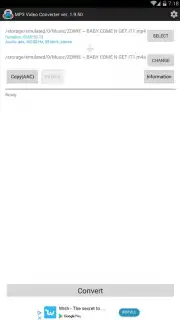
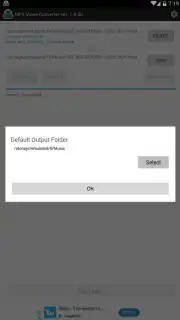
The application operates on a straightforward principle: select any video file from your device's storage and convert it into a high-quality audio track. The process begins by granting the app necessary access to your device's internal storage, which is essential for it to read your video files and write the new audio files. No registration, email, or personal data is required, ensuring your privacy from the start. You may also encounter a request for location access, which is entirely optional and used only to serve more geographically relevant advertisements; denying it simply results in more general ad content.
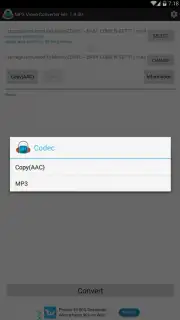
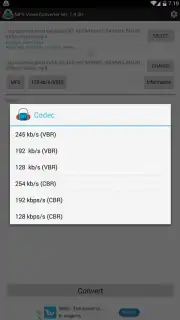
Once permissions are set, the real work begins. The app supports an extensive range of input video formats, including but not limited to 3GP, FLV, MP4, AVI, and MPEG. This broad compatibility means virtually any video in your gallery is a potential source for audio conversion. The output is meticulously customizable. You choose between the universal MP3 format or the advanced AAC format, then fine-tune the result by selecting a specific bitrate from multiple options. This direct control allows you to balance crystal-clear audio fidelity against file size, perfect for conserving space or ensuring premium sound.
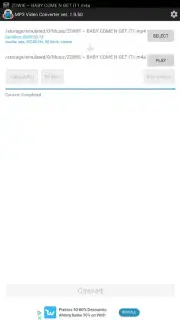
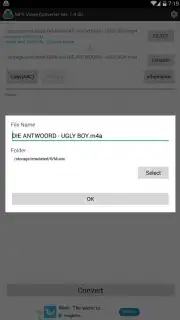
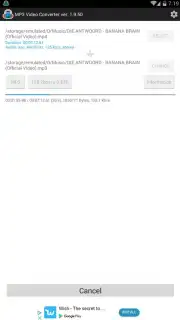
Beyond simple conversion, the app includes a built-in metadata editor. Before finalizing the process, you can manually input and edit the ID3 tags for the resulting audio file. This means you can assign the artist's name, song title, album name, and even embed a custom album cover image directly into the file. This feature is invaluable for maintaining a well-organized, locally stored music library where every track is correctly identified by your music player. The entire conversion workflow, from selection to tagged output, is optimized for speed, often completing in mere seconds.
- Broad Video Format Support
- Customizable Audio Bitrate & Quality
- Edit Artist, Title & Album Art
Turbo Mode: An Uninterrupted Conversion Experience
While the base application is supported by advertisements, it offers a powerful Turbo upgrade. Activating Turbo mode removes all advertisements completely, creating a fluid, distraction-free environment for batch processing and frequent use. This premium experience unlocks the app's full potential without interruptions, making it the ideal choice for users who regularly convert media or manage large libraries.
Download MP3 Video Converter Now
Don't let your favorite audio moments remain locked inside video files. Transform any clip into a portable, playable song in seconds. For a limited time, new users can experience premium-grade conversion tools with exclusive, streamlined access. This is your chance to build a personalized audio collection from the videos you already own.
Download this mobile app today and unlock your media's full potential!
Disclaimer: This application requires an internet connection for initial functionality and may contain in-app purchases. The developer is not responsible for the conversion of copyright-protected content without permission. Use in accordance with applicable laws and platform terms of service.
Information
| Version | 2.2.3 |
| Developer | Springwalk |
| Requirements | Android Android + 5.0+ |
| Updated | 17.03.2026 |
| Size | 31.13 MB |
| Package | com.springwalk.mediaconverter |
| Signature | 517e0d145cbdec0922b0861a63294973 |
| Architecture | armeabi-v7a, x86, arm64-v8a, x86_64 |


